How to Verify a Checkout Page Is Secure Before You Pay



Key Takeaways
- The Checkout Page Is the Most Vulnerable Screen: It is the single point where shoppers hand over their most sensitive financial data, making it the highest-value target for scammers.
- HTTPS is Not Enough: Research shows that the majority of phishing websites now use valid HTTPS certificates, meaning a padlock icon alone does not confirm a checkout page is safe.
- Scammer Tactics Are Evolving: Fraudsters use free SSL certificates, cloned branding, lookalike domains, and fake payment gateway redirects to create checkout pages that pass a casual visual inspection.
- Verification is Multi-Step: Confirming checkout security requires inspecting SSL certificate details, checking domain age, verifying the payment processor, and watching for visual red flags like missing policy pages.
- Guardio Adds Automated Defense: Guardio detects and blocks fraudulent checkout pages in real time, warning users before payment details are entered on malicious sites.
Every online purchase ends at a checkout page, and that final step is exactly where scammers focus their efforts. Fraudulent checkout pages are designed to look identical to legitimate payment forms, complete with padlock icons, recognizable logos, and professional layouts. The difference is that they exist solely to capture your credit card number, billing address, and personal details rather than process an actual order.
The scale of online payment fraud continues to grow. So how do you verify a checkout page is secure before you pay? It requires looking beyond the padlock icon, checking the URL and domain details, confirming the payment processor, and using tools that can flag threats automatically. This guide walks you through each of those steps, explains how scammers build convincing fake checkout pages, and shows how Guardio helps stop fraudulent payment pages in real time across your devices before payment details are exposed.
{{component-cta-custom}}
Why Verifying a Checkout Page Before You Pay Matters
Checkout pages are where the most sensitive part of any online transaction takes place. When you enter your credit card number, CVV, billing address, and sometimes even your date of birth, you are providing everything a fraudster needs to make unauthorized purchases, open new accounts, or sell your data on dark web marketplaces.
The financial consequences of entering payment details on a fake checkout page can extend far beyond the initial charge. Victims often discover additional unauthorized transactions in the days that follow, and the personal data captured during the checkout process can be reused for identity theft months or even years later.
This is why learning how to verify a checkout page is secure before you pay is one of the most practical steps any online shopper can take. It reduces the risk of financial loss, limits exposure to identity theft, and gives you a concrete framework for evaluating unfamiliar online stores before trusting them with sensitive information.
How Scammers Fake Secure Checkout Pages
Fake checkout pages are engineered to pass a quick visual check. Scammers invest significant effort in replicating the elements that shoppers associate with security, from padlock icons and trust badges to familiar brand colors and payment processor logos. The table below outlines the most common tactics used to build convincing fraudulent checkout pages:
Why HTTPS Alone Does Not Guarantee Checkout Security
For years, shoppers were taught to look for the padlock icon and "https://" in the address bar before entering payment information. While HTTPS does mean that data transmitted between your browser and the website is encrypted, it says nothing about whether the website itself is legitimate. Scammers understand this and exploit the gap between encryption and trust.
Free SSL Certificates for Scam Websites
SSL certificates, which were once expensive and reserved for verified businesses, are now available at no cost through services like Let's Encrypt. These certificates provide the same encryption standard as paid alternatives, and any domain owner can obtain one in seconds through automated verification. Scammers routinely secure free SSL certificates for their fraudulent checkout pages, which means the padlock icon appears in the browser exactly as it would on a legitimate retailer's site.
According to Zscaler ThreatLabz, 87.2% of blocked threats were delivered over encrypted channels. That means HTTPS is now common across both legitimate and malicious sites, so a padlock icon alone does not prove a checkout page is trustworthy.
Encryption Does Not Equal Legitimacy
HTTPS protects data in transit by preventing third parties from intercepting information as it moves between your browser and the server. However, if the server is controlled by a scammer, encryption simply ensures that the stolen data arrives securely at the attacker's destination. The encryption itself does not verify the identity or intentions of the website operator.
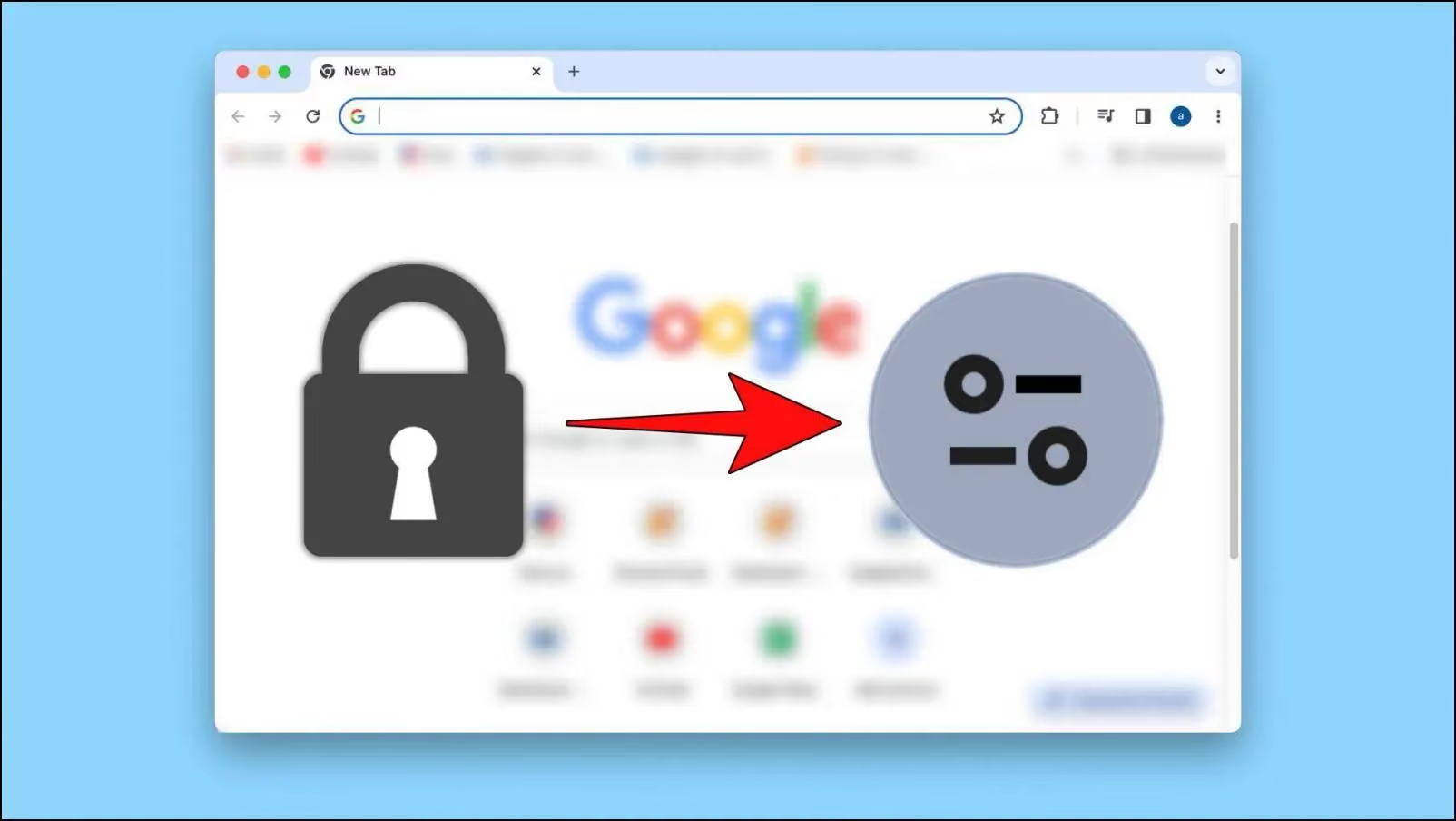
This distinction matters because many shoppers still treat HTTPS as a definitive safety signal. Browser design changes reflect this reality: Google replaced the padlock icon in Chrome with a neutral "tune" icon in 2023, specifically because the padlock was being widely misinterpreted as a sign of overall trustworthiness rather than just encrypted data transfer.
How Fraudulent Stores Still Show a Padlock
Domain Validation (DV) certificates, which are the type issued by free certificate authorities, only confirm that the applicant controls the domain. They do not verify business identity, physical address, or legitimacy. A domain like "secure-checkout-store247.shop" can display the same padlock as a major retailer's actual checkout page.
Extended Validation (EV) certificates were once promoted as a way to distinguish legitimate businesses, since they required identity verification and displayed the company name in the browser bar. However, major browsers have since removed or minimized EV visual indicators because they proved ineffective against phishing. For practical purposes, shoppers cannot rely on the padlock icon alone to determine whether a page is fake.
Technical Signals That Help Verify a Checkout Page Is Secure
While the padlock icon is insufficient on its own, several technical checks can help you determine whether a checkout page belongs to a legitimate business. These steps require only a few extra seconds but can prevent significant financial loss.
- Inspecting SSL Certificate Details in Your Browser: Click the icon next to the URL in your address bar and view the certificate details. Look for an Organization Validated (OV) or Extended Validation (EV) certificate that includes the company's legal name. If only a domain name appears with no organization details, it is a basic DV certificate, which anyone can obtain without identity verification.

- Checking Domain Age and Website Reputation: Use a public WHOIS lookup tool to check when the domain was registered. If a store claims years of business history but the domain is only weeks or months old, that mismatch is a strong warning sign. Cross-referencing the domain on review platforms and scam-reporting databases adds further verification.
- Identifying Suspicious Redirects or URL Changes: Watch the URL bar as you move from the product page to checkout. The domain should stay consistent throughout the flow. If it changes to a different domain with unfamiliar formatting or an unusual extension, your payment data may be routed to a separate, attacker-controlled server.
- Confirming a Trusted Payment Processor Is Used: Legitimate stores often use recognized payment processors like Stripe, PayPal, Square, or Adyen, and if the checkout redirects, the destination domain should still match the processor or brand you expect. If a checkout page collects card details on a basic form with no visible payment gateway integration, or only offers untraceable options like wire transfers or cryptocurrency, treat it as a red flag.
Confirming a Trusted Payment Processor Is Used:
Red Flags That Indicate an Unsafe Checkout Page
Beyond technical verification, several visual and contextual indicators can reveal that a checkout page is fraudulent. The table below combines domain-level checks with on-page warning signs that commonly appear on fake payment pages:
Safer Payment Methods That Reduce Checkout Risk
Even when a checkout page appears legitimate, using a payment method with built-in fraud protection adds an important safety layer. Not all payment methods offer the same level of recourse if a transaction turns out to be fraudulent.
Credit Cards With Fraud Protection
Credit cards remain one of the safest options for online purchases. Under the Fair Credit Billing Act, cardholders can dispute unauthorized charges and are typically not held liable for fraudulent transactions beyond $50, with many issuers offering zero-liability policies. If you suspect a checkout page was fraudulent, your card issuer can initiate a chargeback to reverse the charge.
Digital Wallets With Tokenized Payments
Services like Apple Pay, Google Pay, and PayPal use tokenization, which means your actual card number is never shared with the merchant. Instead, a one-time token is generated for each transaction. This limits the damage even if the merchant turns out to be fraudulent, since the token cannot be reused for additional charges.
Virtual or Single-Use Card Numbers
Many banks and fintech services now offer virtual card numbers that can be generated for a single transaction or merchant. These disposable numbers expire after use, so even if a scammer captures the number, it cannot be used again. This is particularly useful when purchasing from an unfamiliar retailer for the first time.
Why Direct Bank Transfers Increase Fraud Risk
Wire transfers, direct bank payments, and cryptocurrency transactions generally cannot be reversed once completed. Scammers prefer these methods specifically because there is no chargeback mechanism. If a checkout page only accepts these types of payments and does not support credit cards or recognized digital wallets, treat it as a significant red flag.
{{component-tips}}
Extra Security Steps Before Entering Payment Details
Beyond verifying the checkout page itself, several broader security practices can further reduce the risk of having payment information compromised during online transactions.
- Extra Security Steps Before Entering Payment Details: Beyond verifying the checkout page itself, several broader security practices reduce the risk of having payment information compromised during online transactions.
- Avoid Public Wi-Fi During Transactions: Public Wi-Fi networks at cafes, airports, and hotels are often unsecured, making them vulnerable to man-in-the-middle attacks where an attacker can intercept data in transit. If you need to make a purchase on the go, use your mobile data connection or a trusted VPN rather than an open network.
- Enable Two-Factor Authentication on Retail Accounts: Two-factor authentication (2FA) adds a second verification step when logging into your shopping accounts. Even if a scammer obtains your login credentials through a fake checkout page, they cannot access your account without the second factor, typically a code sent to your phone or generated by an authenticator app.
- Keep Your Browser and Device Updated: Browser updates frequently include patches for security vulnerabilities that attackers exploit. Running an outdated browser increases the chance that a malicious checkout page can execute scripts, install malware, or bypass built-in protections. Enable automatic updates for both your browser and operating system.
- Avoid In-App Browser Payment Pages: When you click a link in a social media app, it often opens in the platform's built-in browser rather than your default browser. In-app browsers typically lack the security extensions, URL visibility, and protection tools you rely on in your main browser. If a social media ad directs you to a checkout page, copy the URL and open it in your regular browser before entering any payment information.
- Use Strong and Unique Passwords: If you create an account on an unfamiliar shopping site, use a unique, strong password that you do not reuse elsewhere. If that site turns out to be fraudulent, a unique password ensures your other accounts remain secure. A password manager can generate and store complex passwords without the need to memorize them.
- Use a Real-Time Safety Layer Before Payment: Manual checks help, but scammers move fast and fake checkout flows can look convincing. Tools like Guardio add proactive, cross-device protection by warning you before you open risky pages, highlighting identity risks and exposed data, and helping you avoid unsafe destinations before payment details are entered.
What to Do If You Suspect a Fake Checkout Page
If you realize a checkout page may be fraudulent, whether before or after entering payment information, acting quickly can significantly limit the damage. The table below outlines the recommended response steps in order of priority:
Block Fake Checkout Pages in Real Time With Guardio
Manual verification steps are valuable, but scammers adapt their tactics faster than most shoppers can keep up. Guardio adds a layer of proactive, real-time protection that helps stop threats before fake checkout pages, phishing links, or scam flows can turn into real damage.
- Real-Time Phishing and Scam Website Detection: Guardio evaluates websites as you visit them, using AI-based detection that analyzes site behavior, page structure, and domain signals rather than relying solely on static blocklists. This allows it to flag newly created scam domains and deceptive checkout pages that traditional filters have not yet cataloged.
- Automatic Blocking of Malicious Checkout Pages: When Guardio identifies a fraudulent checkout page, it blocks access before you can enter payment details. If Guardio identifies a dangerous page, it warns you before you interact with it, giving you a clear signal to stop before entering payment details.
- Instant Warnings Before You Enter Payment Details: Whether you reach a fake checkout page through a search ad, a social media link, an email, or a text message, Guardio intercepts the threat at the point of access. This protection extends to shortened URLs and multi-step redirects that obscure the final destination.
- Protection Against Identity Theft and Account Compromise: Beyond blocking fake pages, Guardio monitors for exposed credentials and data leaks tied to your email addresses and phone numbers. If your information appears in a known breach, you receive an alert to take corrective action before attackers can exploit the data.
- Continuous, Cross-Device Protection: Guardio helps protect users across their computer, phone, and online accounts, with mobile app coverage on iOS and Android and ongoing alerts when risky activity or exposed data is detected.
Conclusion
Fake checkout pages are one of the most targeted and effective forms of online fraud. They succeed because they replicate the visual elements shoppers trust, from padlock icons and brand logos to professional layouts, while operating on disposable domains designed to disappear before they are flagged.
Verifying a checkout page before you pay requires more than a glance at the address bar. It means inspecting SSL certificate details, checking domain age, confirming the payment processor, and watching for red flags like gibberish URLs, missing policy pages, and non-functional social media links. Pairing those manual checks with safer payment methods such as credit cards and tokenized digital wallets limits exposure even if a transaction goes wrong.
For shoppers who want protection that works automatically across devices, Guardio helps stop risky checkout pages and scam destinations in real time while also surfacing identity risks and exposed data so users can act before damage spreads. Whether a fake checkout page reaches you through a social media ad, a search result, or a phishing email, Guardio is designed to stop it before any payment details are compromised.
{{component-cta-custom}}
FAQs
What’s the fastest way to spot a fake payment step that appears after a normal shopping flow?
The biggest clue is when the payment step suddenly feels “off” compared with the rest of the site.
- Watch for a domain switch right before payment, especially if the brand site sends you to a strange URL with extra words, numbers, or odd extensions.
- Check the payment options. Real stores usually offer familiar processors, while scam pages lean on bank transfer, crypto, or gift cards.
- Look for sloppy friction like mismatched logos, unusual grammar, missing return details, or a form that asks for far more than shipping and billing info.
- Pause when the page rushes you with warnings like “complete in 2 minutes or lose your order,” which are designed to shut down careful thinking.
To sharpen your eye for copycat sites, explore how to identify fake websites.
Can scammers fake checkout pages for big brands and marketplaces too?
Yes, scammers often impersonate trusted retailers because familiar branding lowers your guard.
- Type the brand’s address yourself instead of checking out through a random ad, DM, or search result that could lead to a clone site.
- Compare the offer with the official store if the price is unusually low, especially on high-demand products, sneakers, electronics, and gift-heavy seasonal items.
- Be suspicious of seller-only urgency like “warehouse clearance” or “today only” when the brand’s real site shows no matching promotion.
- Check seller reputation on marketplaces and avoid listings that have brand-new accounts, no history, or recycled reviews.
Brand impersonation is common in marketplace fraud, so it helps to know how fake sellers operate.
What can Guardio do if I land on a risky checkout page before I notice anything wrong?
Guardio can step in before you submit your details by warning you about dangerous sites and suspicious browsing activity in real time.
- Keep real-time protection turned on so risky pages, harmful downloads, and scam destinations are flagged before they do damage.
- Review your browsing alerts in the dashboard if something felt suspicious, so you can see what was blocked and why.
- Use mobile protection too if you shop from links in texts, social apps, or mobile browsers where scam journeys often start.
- Don’t override a block casually. If Guardio stopped the page, treat that as a serious warning unless you’ve verified the site independently.
You can see how these protections work together in Guardio’s security features overview.
How do I use Guardio to protect my whole household from fake stores and scam links?
The best setup is to extend protection across the devices and people most likely to click first and question later.
- Install Guardio on additional devices so shopping protection follows you from laptop to phone instead of stopping at one browser.
- Invite family members who shop online often, especially teens, parents, or anyone who uses social media deals and texted promos.
- Set up mobile browsing protection and text filtering to catch scam links that never touch your desktop.
- Check blocked-site history together when someone almost falls for a fake store, so the whole household learns the pattern.
For practical setup steps, start with installing Guardio on additional devices.