Typosquatting: The One Typo That Could Cost You Your Login


Key Takeaways
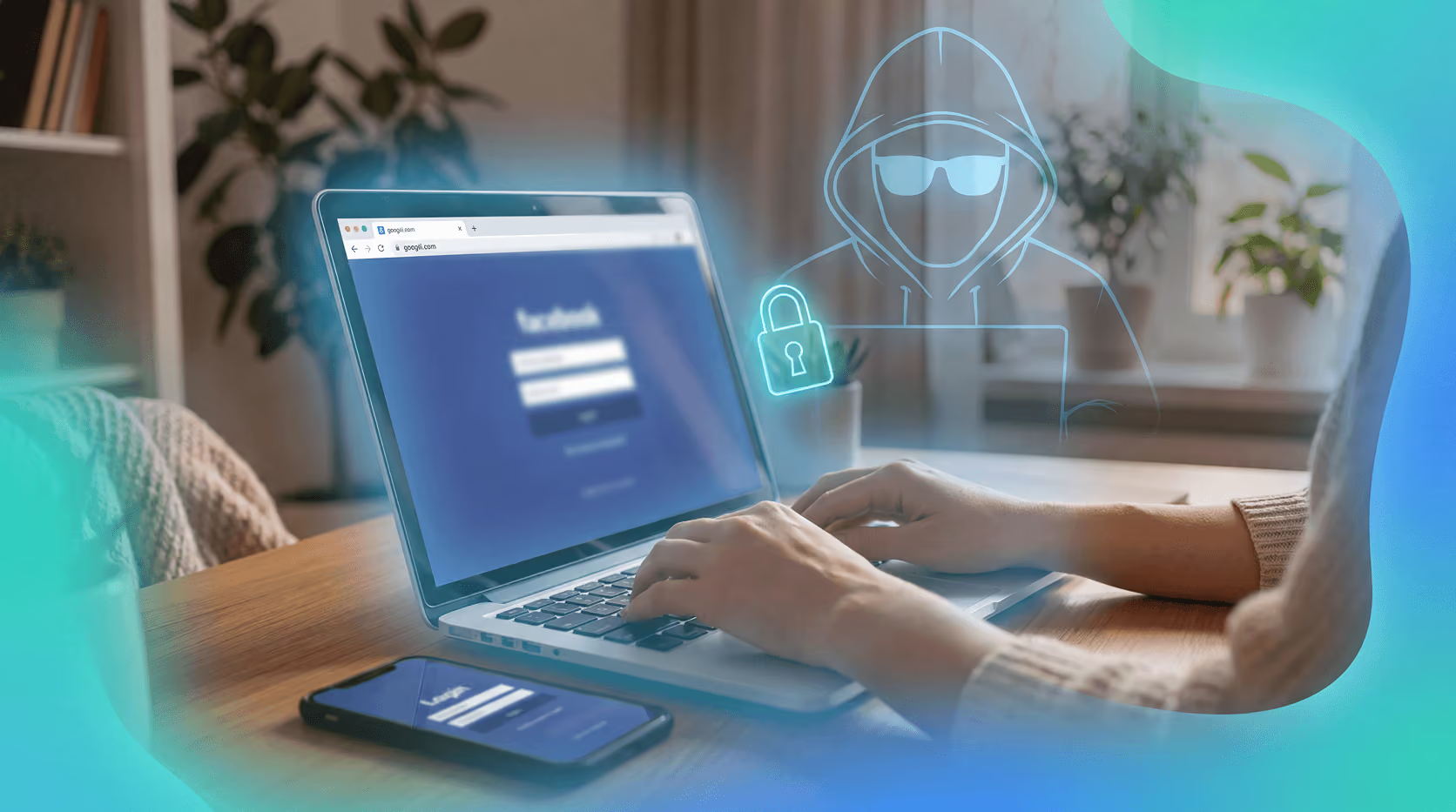
You're logging into your bank. You type the address fast, hit enter, and the login page looks exactly right. The logo's there. The form is there. The color scheme matches. Everything feels completely normal.
Except you're not on your bank's site. You're on a fake, and your credentials are about to be handed straight to whoever built it.
That's typosquatting. It's one of the most quietly effective ways attackers steal login information, and it doesn't require any technical sophistication on the attacker's end. It doesn't involve malware, it doesn't trigger antivirus alerts, and it doesn't look suspicious to the average user. It just requires your fingers to move slightly faster than your eyes, a single misplaced keystroke, and you're somewhere you never intended to be.
This kind of attack has been around for decades, but it's grown significantly more sophisticated and more prevalent. Attackers now register thousands of lookalike domains at a time, deploy them with professional-grade phishing pages, and use them in coordinated campaigns targeting millions of users. Understanding how it works, and what you can do about it, is one of the most practical things you can do to protect your accounts.
What is typosquatting?
Typosquatting happens when someone registers a domain name that looks almost identical to a real one, banking on the fact that people mistype URLs all the time. The goal is to intercept the traffic that a simple typing mistake sends their way, and then do something with it, whether that's stealing credentials, serving malware, or running ad fraud.
The name "paypa1.com" instead of "paypal.com." The address "rnicrosoft.com" instead of "microsoft.com." The domain "gooogle.com" instead of "google.com." These aren't accidents, they're deliberate registrations built to catch you mid-keystroke, at the exact moment your attention is on what you're about to do rather than on the address bar.
Domain registration is cheap. For a few dollars a year, an attacker can register a convincing lookalike domain, point it at a cloned login page, and wait. The economics are entirely in the attacker's favor: the cost of registering a hundred typosquatted domains is trivial compared to the value of the credentials they can harvest.
Zscaler's ThreatLabz analyzed over 30,000 lookalike domains between February and July 2024. More than 10,000 of them were malicious, meaning roughly one in three of the lookalike domains they examined was actively being used to deceive users. Google, Microsoft, and Amazon were the top three targets, collectively accounting for nearly three-quarters of all Typosquatting and brand impersonation phishing domains found. These aren't random targets. They're the platforms where the most people have accounts, where the most sensitive information is stored, and where a stolen login has the most downstream value.
That's a lot of fake addresses waiting for someone to slip up, and the scale of the problem is still growing.
How does typosquatting steal your login?
The attack chain is short and fast, which is part of what makes it so effective. You type a URL slightly wrong. Your browser resolves that domain, and because an attacker registered it, you land on a page they control. That page is usually a pixel-perfect copy of the real site's login screen, often built by simply copying the HTML and CSS directly from the legitimate site.
You type in your username and password. The fake site records both, then often redirects you to the real website so the experience feels completely uninterrupted. You may never notice anything happened. You log in successfully on the real site, because the attacker just used your credentials to do it, and you go about your day while someone else now has access to your account.
A real campaign targeting Microsoft users illustrates how precise this gets. Attackers registered "rnicrosoft.com," replacing the letter "m" with "r" and "n" placed side by side. In many fonts, "rn" and "m" are nearly indistinguishable at a glance, especially when you're reading quickly and your brain is pattern-matching rather than processing each character individually. Emails sent from addresses like noreply@rnicrosoft.com replicated Microsoft's branding, logos, and urgent subject lines with high fidelity. According to Cybersecurity Intelligence, that campaign ran persistently through 2024 and into 2025, Microsoft seized nearly 340 related phishing sites in September 2025.
The technique is especially effective on mobile, where a truncated address bar hides the full URL. On a desktop browser, you can usually see the entire domain in the address bar. On a phone, you might only see the first 20 or 30 characters, which is often enough to display a convincing-looking beginning while hiding the suspicious parts at the end. Attackers know this, and some campaigns are specifically built to be most effective on mobile users for exactly that reason.
What are the most common typosquatting techniques?
Attackers have a reliable and well-documented toolkit of URL manipulation methods. The most common techniques each exploit a slightly different aspect of how people type and read:
- Character omission: dropping a letter entirely ("gogle.com" instead of "google.com"), easy to miss because your brain fills in the gap
- Character transposition: swapping two adjacent letters ("googel.com"), a natural result of typing quickly
- Adjacent key substitution: using a key next to the intended one on the keyboard ("googlr.com," where "r" sits next to "e"), common on both desktop and mobile keyboards
- Homograph attacks: replacing a Latin character with a visually identical Unicode character, "pаypal.com" with a Cyrillic "а" looks completely identical to the real thing in most fonts, but resolves to an entirely different domain
- Combosquatting: adding words that sound official or security-related ("google-login.com," "secure-paypal.com," "paypal-verify.com"), these can actually look more trustworthy than the real domain to someone who isn't paying close attention
- Wrong TLD substitution: registering company.co or company.net when the legitimate brand only owns company.com, particularly effective for brands that haven't defensively registered their name across all extensions
SentinelOne's research notes that approximately 99% of typosquatted domains use single-character modifications. One character. That's the entire attack surface, a single letter changed, added, removed, or swapped, and the domain becomes a potential trap.
What makes these sites significantly harder to catch is that many use HTTPS with valid TLS certificates. Zscaler found that 48.4% of the malicious domains they identified had certificates issued by Let's Encrypt. The padlock icon is there. The "secure" label is there. The connection is genuinely encrypted. None of that tells you who owns the site or whether it's legitimate, it only tells you that the data you're sending is encrypted in transit, which is cold comfort when it's being sent directly to an attacker.
Why credentials are the real target
A stolen username and password is worth more than most people realize. It doesn't just open one account, it can unlock others, especially if you reuse passwords across multiple services. An attacker who captures your email login may be able to use it to reset passwords on your bank account, your social media profiles, your cloud storage, and anywhere else that sends password reset links to that address.
Credential theft has become one of the primary drivers of broader cybercrime. Stolen logins are bought and sold in bulk on dark web marketplaces, used to conduct account takeover fraud, used to access corporate networks, and deployed in follow-on attacks against the victim's contacts.
Verizon's 2025 Data Breach Investigations Report identifies credential abuse as the single most common initial attack vector across industries. And the scale is growing rapidly: analysis from Check Point, cited by IT Pro, shows the volume of compromised credentials surged 160% in 2025. In one month alone, 14,000 cases of exposed employee credentials were recorded, a figure that illustrates how industrialized this kind of theft has become.
Once an attacker has your login, they don't need to break anything. They just log in. No alarms, no unusual patterns, no brute-force attempts that might trigger a lockout, just a normal-looking session from someone with the right credentials. From the system's perspective, it looks exactly like you.
How to tell if a URL is fake
The honest answer: it's not always easy, and that's by design. These domains are built to look right. The pages behind them are built to look right. The entire point is to create an experience that doesn't trigger your suspicion. But a few consistent habits make a meaningful difference.
Check the full URL before you log in. Don't glance, actually read it, character by character. Pay attention to anything that looks slightly off: an extra letter, a hyphen that shouldn't be there, a different domain extension, or a word added before or after the brand name. This takes about three seconds and catches the majority of typosquatting attempts.
Look past the padlock. HTTPS tells you the connection is encrypted. It does not tell you the site is legitimate. A fake site can obtain a valid TLS certificate just as easily as a real one, and as the Zscaler data shows, nearly half of malicious lookalike domains already have one. The padlock is a necessary condition for a safe site, but it is not a sufficient one.
Be skeptical of email links. Most typosquatting attacks arrive in your inbox. An email that tells you to verify your account, reset your password, confirm a login, or review a suspicious charge should prompt you to open a new browser tab and navigate directly to the real site, not click the link in the message. The link in the email is exactly where the fake domain lives.
On mobile, expand the address bar. Truncated URLs hide the parts attackers rely on. Many mobile browsers show only a portion of the domain by default. Before entering any credentials on a mobile site, take an extra second to tap the address bar and read the full URL. It's a small habit that closes a significant gap.
Trust your password manager's hesitation. If you use a password manager and it doesn't offer to autofill your credentials on a page where you'd normally expect it to, that's a signal worth heeding. It may mean the domain doesn't match the one your credentials were saved for.
What you can do to protect yourself
None of this requires you to become a security expert or change how you use the internet in any fundamental way. A few practical habits, applied consistently, cover the vast majority of the risk.
Bookmark sites you log into regularly. Your bank, your email provider, your social accounts, your investment platforms, if you navigate there directly from a bookmark, a mistyped URL is no longer an attack surface at all. You never enter the address, so you can never enter it wrong. This is one of the simplest and most underused defenses against typosquatting, and it costs nothing.
Use a password manager. A good password manager autofills credentials only on the exact domain they were saved for. If the domain is "paypa1.com" instead of "paypal.com," the password manager won't fill, because it doesn't recognize the site. That's a built-in warning signal you'd otherwise miss, operating silently in the background every time you log in anywhere.
Turn on multi-factor authentication (MFA). Even if an attacker captures your password through a fake login page, MFA adds a second layer they still need to get past, a time-sensitive code from an authenticator app, a hardware key, or a biometric prompt. It's not a guarantee against every attack, but it significantly raises the bar and stops a large proportion of credential-based account takeovers cold.
Use a real-time security tool on your browser and your phone. Real-time protection that runs on both can flag lookalike domains before you enter anything. Guardio detects and blocks typosquatted and phishing sites as you browse, on your computer or your phone, including pages that slip past standard URL filters because they're freshly registered and have no reputation history yet. Rather than relying entirely on your own vigilance in every session, you have an automated layer checking each domain against known threat patterns.
Get started with a free scan to see what's already putting your accounts at risk.
Conclusion
Typosquatting works because it's quiet. There's no malware download, no obvious warning sign, no suspicious pop-up asking you to do something unusual. Just a believable-looking login page on a domain you almost recognize, sitting silently between you and the site you meant to visit.
What makes it particularly dangerous is how well it exploits normal human behavior. We type quickly. We skim URLs rather than reading them carefully. We trust the padlock icon. We assume that if a page looks right, it is right. Typosquatting is engineered to take advantage of every one of those habits.
The best defense is building better habits of your own. Bookmark your most-visited sites so you never have to type the address at all. Read URLs carefully before you log in, especially when you arrive via an email link. Use a password manager that stops autofill on mismatched domains, it will catch the discrepancies your eyes miss. And keep multi-factor authentication turned on wherever it's available, so that a stolen password alone isn't enough to get someone into your accounts.
Those steps cover a lot of ground. But they require you to catch every threat yourself, every time. If you want an extra layer of protection that works automatically in the background, Guardio runs on your browser and your phone and flags these kinds of lookalike domains in real time, including freshly registered phishing sites that haven't yet built up enough history to appear on traditional blocklists.
Get a free security scan with Guardio today and stay protected from typosquatting and phishing attacks.
FAQs
What is typosquatting?
Typosquatting is a type of attack where criminals register misspelled or look-alike versions of real website domains to capture traffic from users who make small typing errors. The fake sites typically host credential-harvesting login pages built to steal usernames and passwords. Because the domains look nearly identical to legitimate ones, most people don't realize they've landed somewhere dangerous.
How does typosquatting steal your password?
When you mistype a URL and land on a typosquatted domain, you see a convincing copy of the real site's login page. Entering your credentials sends them directly to the attacker, who often redirects you to the legitimate site so you don't notice anything went wrong. The stolen password is then used to access your account or sold to other criminals on the dark web.
Can a site with HTTPS still be a typosquatting scam?
Yes. HTTPS and a padlock icon mean the connection is encrypted, not that the site is trustworthy. Attackers routinely obtain valid TLS certificates for fake domains. Zscaler's ThreatLabz research found that nearly half (48.4%) of malicious typosquatting domains they analyzed used free Let's Encrypt certificates, making them appear legitimate to most browsers.
What's the best way to avoid typosquatting?
Bookmark sites you log into regularly so you navigate directly from a saved address rather than typing. Use a password manager that autofills credentials only on matched domains, if the domain is wrong, it won't fill. Turn on multi-factor authentication on important accounts. A real-time security tool like Guardio, on your browser and your phone, that flags lookalike domains adds another layer of protection that works automatically.
Is typosquatting the same as phishing?
Typosquatting is a specific technique used within phishing campaigns, not a separate category. Phishing is the broad term for attacks that trick people into handing over sensitive information. Typosquatting is the delivery mechanism: a misspelled domain that lands you on a fake site, rather than a deceptive link alone. Most typosquatting attacks are delivered via email, combining both tactics.
Which sites do typosquatters target most?
Google, Microsoft, and Amazon are the most commonly targeted brands. Zscaler's ThreatLabz found that these three collectively accounted for nearly three-quarters of all typosquatting and brand impersonation phishing domains identified between February and July 2024. Internet services and professional services platforms are the most targeted sectors overall because of the volume of user data and login credentials they hold.


 Safe Browsing
How to Spot Fake Shopping Websites from Social Media Ads


