The Instagram Reset Email Wave: What’s Really Happening?


Key Takeaways
Key Takeaways: The Instagram Security Crisis
- The Cause: A leak of personal data from 17.5 million Instagram accounts has appeared on the dark web, containing usernames, phone numbers, and emails.
- The Origin: This data wasn't a fresh hack; it was scraped via a vulnerable API in 2024, sold underground, and has now resurfaced as a "doxxing kit."
- The Trap: Attackers are using this leaked info to trigger legitimate password reset emails. They aren't just looking for your Instagram they want to breach your email account to finalize the takeover.
- Don't Panic: Receiving a reset email doesn't mean your account is hacked yet. It means an attacker is using automated tools to "probe" your account.
- Your Best Defense: Two-Factor Authentication (2FA) via an authenticator app is your strongest shield. It stops attackers even if they gain access to your reset codes.
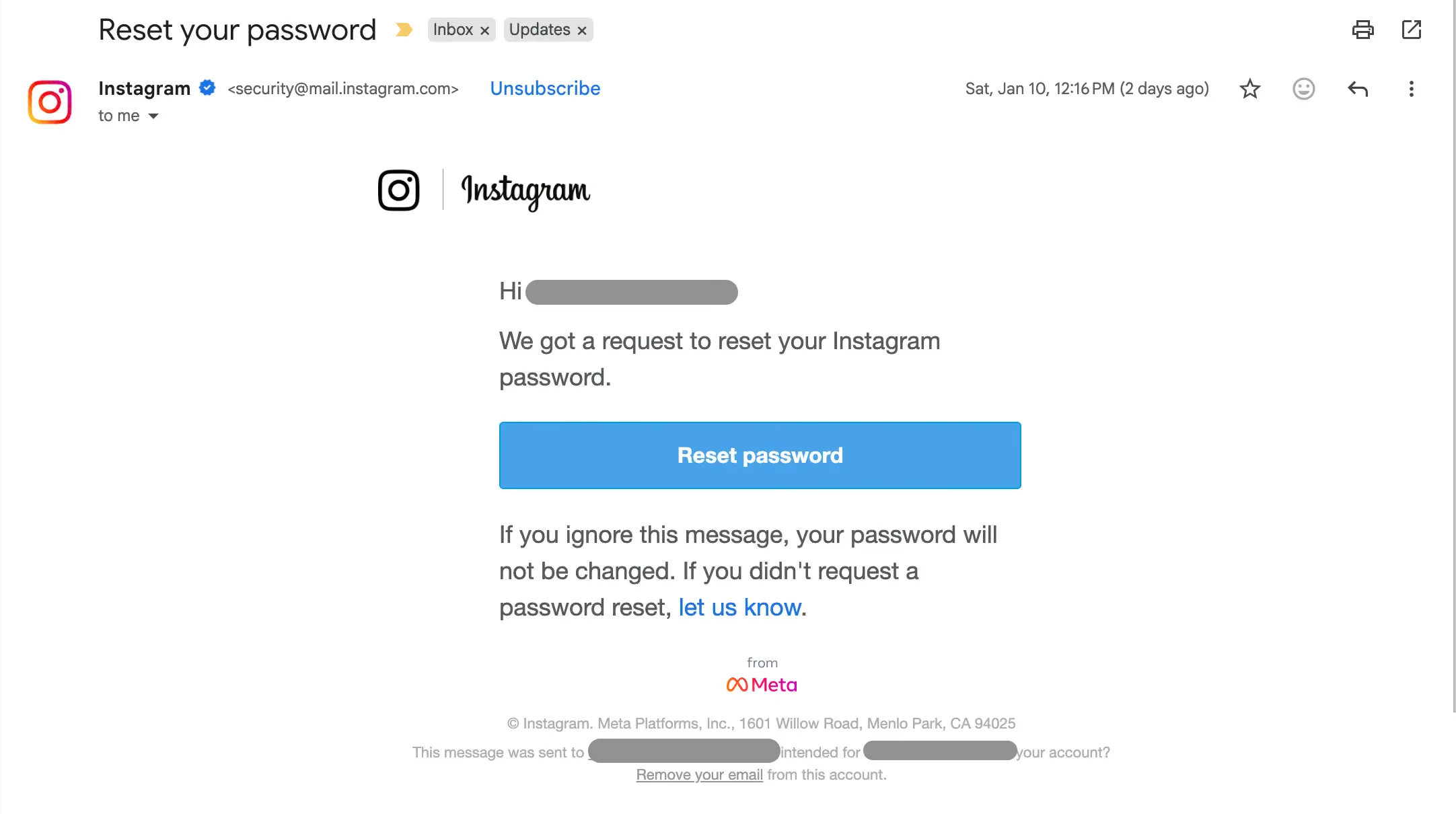
Over the past few days, Instagram users worldwide have woken up to a stressful notification: an unexpected password reset email they never requested.
While a reset email might seem like a glitch, the timing is no coincidence. News outlets like Malwarebytes and Cybernews report that personal data linked to approximately 17.5 million Instagram accounts is currently circulating on underground marketplaces.
The Truth Behind the Wave: Automated Probing
There is a common misconception that this is a simple "vulnerability" allowing anyone to send reset emails. It's much more calculated than that. The data being used was scraped via an API in 2024. Since this leak contains full account details (except passwords), hackers are now using automated infrastructures to "probe" these accounts en masse.
What they are actually doing:
- The Trigger: Attackers use automated scripts to hit the "Forgot Password" button for millions of users at once.
- The Target: By triggering a reset, they aren't just hoping you click the link. They are simultaneously trying to breach your email account (using passwords found in other leaks) to catch the legitimate reset code as it arrives.
- The Result: If they get into your email and your Instagram at the same time, they can bypass security and lock you out permanently.
While Meta states that their systems were not "directly breached," the reality is that their past API vulnerabilities provided the fuel for this current fire.
Why the "Reset Email" is a Psychological Trap
An attacker doesn't need your password to trigger a reset email; they only need your handle or email address. This is a classic pressure tactic. Attackers rely on "panic mode" because:
- It creates urgency: You feel you must act now.
- It builds false trust: An attacker might contact you pretending to be "Instagram Support" to "help" you secure the account, asking for the code you just received.
Deep Dive: To understand exactly how these schemes work, read Guardio's full breakdown of Account Takeover Fraud: How It Happens and How to Prevent It.
What To Do If Your Account Is Targeted
If you have received these emails, do not click any links inside them. Instead, go directly to the Instagram app.
If you are already locked out or notice strange activity, you need to act fast. Watch: Instagram Hacked? Do This First to Get It Back
Your Instagram Security Checklist:
- Change your password: Use a unique, complex passphrase.
- Audit 2FA: Enable Two-Factor Authentication using an Authenticator App. (Avoid SMS 2FA if possible, as it is vulnerable to SIM swapping).
- Secure your Email: Ensure your linked email account has a different password and its own 2FA enabled.
- Check Login Activity: Review "Where You're Logged In" in Instagram settings and log out of unfamiliar devices.
From Reactive Panic to Proactive Clarity
The real problem isn't just one Instagram leak; it's the "fog" of digital life. Most people protect their accounts one by one, never seeing the full picture of their vulnerability.
This is where Guardio changes the game. Instead of reacting to individual alerts in a state of panic, Guardio gives you a "command center" view of your digital life, showing you:
- Which of your accounts are missing 2FA.
- Where your data has been leaked and what specific info is out there.
- Which accounts are "weak links" that need immediate attention.
The bottom line: Data exposure is the new normal. The safest users aren't the ones who react the fastest, they are the ones who have the clearest view of their security.
Final Thought: An Instagram reset email is just a notification. Not knowing where you stand is the real crisis. When you can see your digital life clearly, attackers lose their advantage.
FAQs
How can I check if my data has already been leaked?
You can instantly find out if your email or phone number was exposed in a breach using Guardio's identity monitoring.
- Go to your Guardio dashboard and click on the “Leaks” or “Identity Monitoring” tab.
- Add multiple email addresses and your phone number to scan for past breaches.
- Verify each source to get alerts for future leaks tied to that information.
- Take action immediately if you see a leak, Guardio provides steps to secure each exposure.
Learn how to set up your monitoring list for maximum protection.
Are AI-generated phishing emails harder to detect now?
Absolutely, scammers now use AI to mimic real alerts with perfect grammar and design.
- Stop looking for typos alone, even legit-looking emails can be fake.
- Check the sender’s domain (e.g., support@mcafee-update.com is likely fake).
- Avoid links entirely, go directly to the company’s website to verify renewals.
- Enable Guardio’s real-time phishing protection, which flags AI-forged emails.
Learn how to spot smarter phishing tactics even when they look professional.
Can Guardio protect my Gmail from phishing emails?
Yes, Guardio’s Email Security feature actively flags scam emails that bypass your spam filter.
- Connect your Gmail to Guardio through the dashboard or app.
- Look for flagged warnings next to emails that look suspicious.
- Get alerts in real time when risky messages land in your inbox.
- Manage email alerts directly from the mobile app.
Start by setting up Email Security in minutes.
 Data Breaches
Stay secure: 5 Tips to guard you against data breaches