What Is Clickjacking? How Invisible Buttons Trick You Into Clicking Something Else


Key Takeaways
You click a "Play" button and nothing happens. Or something does, just not what you expected. Your browser just liked a stranger's page, changed a privacy setting, or approved a file download. You didn't do any of that. Or did you?
That's clickjacking. And it's sneakier than most online threats because it doesn't need you to enter a password, click a suspicious link, or fall for a phishing email. It just needs you to click.
What is clickjacking?
Clickjacking is an attack that tricks you into clicking something hidden or disguised as something else. MDN describes it as an attack where the attacker tricks the user into interacting with a target site in a way they didn't intend. You think you're clicking one thing. Your browser sends that click somewhere completely different.
The formal name is "UI redressing" (what OWASP calls a "UI redress attack"). The attacker redresses the page to look like something harmless while hiding the real action underneath. It happens entirely inside your browser, with no malware download required.
The result can be minor, like following an account you didn't want to follow, or serious, like approving a money transfer or handing over account access.
How does the attack work?
The mechanics aren't magic. They're just CSS and iframes, standard web building blocks turned against you.
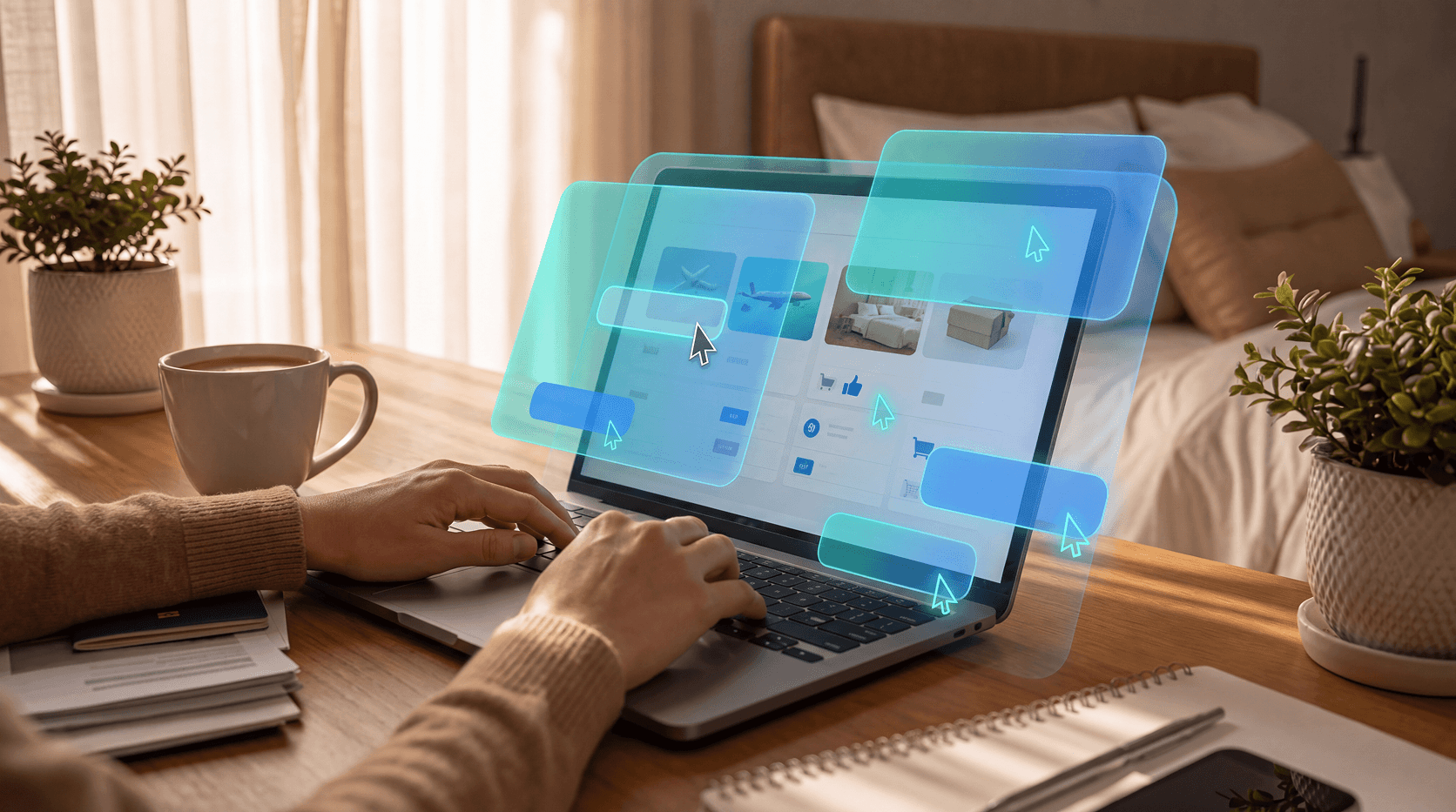
Here's the setup: an attacker builds a decoy page that looks normal. Maybe it's a game, a quiz, a pop-up claiming you've won something, or just an ordinary-looking site. Underneath the visible content, they load a second page (the target) inside a transparent frame called an iframe. That frame is stretched and positioned so its buttons line up exactly with the buttons or objects you can see on the decoy.
The invisible layer is set to nearly zero opacity. You can't see it. But your browser can interact with it. When you click the "Play" button on the decoy, your click lands on whatever button the attacker placed underneath it, like a "Confirm payment" or "Allow access" button on a real site you're logged in to.
As PortSwigger's Web Security Academy explains, the attacker uses CSS position values and z-index stacking to overlay the target precisely on the decoy, regardless of screen size or browser type. The opacity is set close to 0.0 so the hidden layer stays transparent to you but active to the browser.
The whole thing takes effect without a single virus, without a single phishing email. Just a page you clicked on.
What are the main types of clickjacking?
Not every clickjacking attack looks the same. Intego identifies several common variations, and Imperva covers likejacking and cursorjacking in more detail:
- Basic clickjacking: A transparent iframe sits over a decoy page. You click the visible button; the browser activates the hidden one.
- Likejacking: A hidden social media "Like" or "Share" button is placed over something clickable. You click, and the platform records it as if you deliberately liked or shared content.
- Cursorjacking: The cursor is visually moved to a fake position, so where you think you're clicking and where the click actually lands are two different places.
- Multi-step clickjacking: The attacker guides you through several clicks in sequence. Each one secretly carries out a step in a larger action, such as confirming a settings change or approving a transaction.
- Browser extension clickjacking: Some attacks target buttons added by browser extensions, including password managers, autofill tools, or shopping assistants, using those controls as the hidden layer.
Real-world examples that actually happened
Most clickjacking cases come to light through security research, not mass-casualty breaches. But the examples are real, and some reached a lot of people.
Adobe Flash settings panel (2008). Researchers Jeremiah Grossman and Robert Hansen, who coined the term "clickjacking", found the technique. In October 2008, a proof of concept showed it could trick people into changing Flash Player's settings to give websites access to their camera and microphone. Adobe released a fix, Flash Player 10.0.12.36, later that month. The episode helped bring clickjacking to wider security attention.
Twitter "Don't Click" worm (2009). In February 2009, a clickjacking attack spread across Twitter by posting a link with the message "Don't Click." Curiosity did the rest. Users who clicked unknowingly triggered a hidden button that posted the same message and link from their own accounts, so the attack spread on its own, as The Register and Shiflett described. It showed how social platforms could be used as the target layer, turning their own authenticated sessions against users.
Password manager research (2025). At DEF CON in August 2025, security researcher Marek Tóth demonstrated that a malicious page could use clickjacking against the autofill prompts of browser-extension password managers. The Hacker News reported that credentials were exposed in 10 of the 11 managers tested, one-time codes in 9, and passkeys in 8, and that six vendors had not yet patched at the time of disclosure. The findings were responsibly disclosed, and several vendors released fixes. It's a reminder that the tools meant to protect you can themselves become targets.
Why is it hard to spot?
That's what makes clickjacking different from most scams. There's nothing obviously wrong with what you see.
No typo-filled warning message. No request for your password. No pop-up telling you to call a fake tech support number. The page looks like a normal website, often because part of it is a normal website. You're just interacting with it in a way you didn't choose.
The deception is entirely visual. The malicious layer is invisible by design. And because the attack often uses a legitimate site as the hidden target, any security checks that site performs, like verifying your login session, pass just fine. Your browser is behaving normally. Only your intentions are being redirected.
How can you protect yourself?
You can't inspect every iframe on every page you visit. But there are things you can do.
Keep your browser updated. Browsers enforce the framing rules that sites set, and Chrome treats cookies without a SameSite setting as SameSite=Lax by default, which limits what a hidden frame can do with your logged-in session. PortSwigger also notes that Chrome checks for near-transparent overlays, though attackers pick opacity values that avoid it. Staying current keeps these protections active, but they don't stop every attack.
Be skeptical of unexpected prompts. If a page asks you to click repeatedly, or if clicking something triggers an action that seems unrelated to what you clicked, that's worth pausing on. Close the tab.
Keep your extensions updated, including your password manager. Extensions can be targeted too, as the 2025 password manager research showed, and fixes only help once you install them.
Avoid clicking through unsolicited links. Clickjacking pages need you to visit them first. Links in unsolicited emails, social DMs, or ads are a common way people end up on pages like this. If you didn't go looking for it, treat it with some skepticism.
What developers can do to protect their sites
If you run a website, defending against clickjacking protects your users, not just your platform. The fix is primarily a server-side one.
X-Frame-Options header. This HTTP response header tells browsers whether your page can be loaded inside an iframe. Setting it to DENY prevents any framing. Setting it to SAMEORIGIN allows framing only from your own domain. It's one line of server configuration that blocks framing-based clickjacking of your pages, though it has to be set on every page that needs it, and OWASP notes it doesn't cover variants that don't rely on framing.
Content Security Policy (CSP) frame-ancestors directive. The more modern and flexible option. The frame-ancestors directive in your CSP header lets you define exactly which origins can embed your pages in a frame. It supersedes X-Frame-Options in browsers that support it, so using both is recommended for broader compatibility, as OWASP's cheat sheet advises.
SameSite cookies. Setting your session cookies to SameSite=Strict or SameSite=Lax limits how cookies are sent in cross-site requests, reducing the risk that an attacker can target an authenticated session through a hidden iframe. OWASP cautions that it shouldn't be your only protection.
Together, these controls make it much harder to weaponize a legitimate site as a clickjacking target. As PortSwigger notes, CSP frame-ancestors is the recommended protection, and X-Frame-Options works best alongside it because it isn't implemented consistently across browsers.
Clickjacking in the bigger picture
Clickjacking rarely operates alone. Attackers use it as one step in a longer chain, getting you to approve an action on a site you're already logged in to, so they can then use that access for something more damaging, like account takeover, unauthorized sharing, or the first step of a phishing sequence.
That's why browser security matters beyond just avoiding bad links. What you interact with matters too.
The web isn't going to stop using iframes. But you can make it harder for the invisible ones to reach you.
Conclusion
Clickjacking works because the click is real and only its target is hidden. You can't spot it by looking, so the practical defenses are the ones that don't depend on noticing: keep your browser and extensions updated, treat unexpected prompts with suspicion, and close pages that behave oddly. Site owners can close the gap with CSP frame-ancestors, X-Frame-Options, and SameSite cookies.
Guardio doesn't detect or stop clickjacking itself, but it covers related risks. Browsing protection on your computer and phone blocks phishing and scam sites before they open and explains why. Email Security flags phishing emails that get past the Gmail spam filter, and on iPhone the Text Message Filter sends malicious texts to junk. Identity Breach Monitoring alerts you if your email address or phone number appears in a known data breach. No tool catches everything.
Get a free security scan with Guardio today and stay protected from phishing.
FAQs
What is clickjacking in simple terms?
Clickjacking tricks you into clicking something hidden on a webpage. An attacker overlays an invisible button or link on top of something you can see, so when you click what looks like a "Play" button or a game element, your click actually activates a hidden action on a different site entirely. No password, no download required.
Is clickjacking the same as phishing?
No. Phishing tries to get you to hand over credentials by deceiving you with a fake message. Clickjacking doesn't ask for anything; it redirects an action you're already taking. The two can be combined, with clickjacking used to approve access that then leads to phishing, but they're distinct techniques with different mechanics.
Can clickjacking happen on mobile?
Yes. Clickjacking can affect mobile browsers, using transparent overlays to redirect taps, and the technique works regardless of screen size, browser type, and platform. Android also has a related app-level problem called tapjacking, where a malicious app overlays another one. Keeping your browser, apps, and operating system updated helps on mobile just as it does on a computer.
What does clickjacking look like to the user?
Usually nothing, which is the point. The page looks normal, you click something ordinary, and you may notice nothing at first. In some cases an unexpected action follows immediately, like a post appearing on your social feed or a setting changing. That's the tell. Most victims don't realize the attack happened until after the fact.
How do I know if a site is trying to clickjack me?
You often can't tell by looking. Warning signs include pages that ask you to click multiple times in sequence, persistent pop-ups, or unexpected actions following a click. No security tool catches everything, and the strongest defenses sit on the site's side, so keep your browser updated and close any page that behaves oddly.
Does keeping my browser updated help against clickjacking?
Yes, it helps. Browsers enforce the framing rules that sites set, and updates add protections such as Chrome's SameSite=Lax cookie default and checks for near-transparent overlays. Updates don't stop every attack, so pair them with caution around unexpected prompts. Keeping your browser current is one of the simplest defenses available.
 Phishing Scams
McAfee Renewal Scam: Signs, Risks & Ways to Stay Safe