Unknown Text Sender? What to Do Next (15 Quick Questions Answered)


Key Takeaways
- Start by classifying the text: link, money request, verification code, or simple hello.
- Verify using a trusted path (official app, official website, known phone number), not the link in the message.
- Never share one-time codes. Treat them like passwords.
- If you clicked or replied, you can still reduce risk with a few quick steps.
- Real-time link protection can help block lookalike pages before you interact.
If you cannot quickly verify who is texting you, do not click links or share codes. Verify through official apps and sites you open yourself, or ignore the message if it cannot be tied to something real.
{{component-cta-custom}}
Why unknown-text messages push you to move fast
Text is a high-trust channel for many people. It feels personal and immediate, which is why so many scams start there.
The pattern is usually the same: create urgency, provide a convenient link or instruction, and hope you verify through their path instead of yours.
Most dangerous texts are not obviously malicious. The tell is the action they push: link, code, payment, or a channel change.
If you are unsure, do not reply. You can verify without engaging.
The hardest part in 2026 is that scam messages can look completely normal. The difference is still the path: links, calls, codes, and payments. Slow down, verify through channels you control, and use tooling that warns you before you land on a lookalike page.
What makes an unknown text risky
Links: the click is the funnel entry. Verify through official apps instead.
Codes: codes are used for account takeover. Never share them.
Money: requests for fees or “verification” payments are high risk.
Urgency: urgency is used to prevent independent verification.
Channel changes: requests to move to another app are often a step toward isolation.
What kind of text is this, in practice
| Message type | What to do next |
|---|---|
| Has a link | Do not click. Open the official site or app directly and check there. |
| Asks for money | Verify identity using a known channel before doing anything. |
| Contains a code | Do not reply. Secure the account that code relates to. |
| Simple hello or wrong number | Ignore, or reply once without personal details, then stop. |
If you decide to reply, keep it boring
Neutral: "Sorry, I do not recognize this number. Who is this?"
Verification request: "Please contact me through the channel we normally use."
Boundary: "I cannot help with this over text."
Common scripts you will see (and how to handle them)
1) It claims delivery, a bill, or an account problem
These texts often try to create urgency. Do not use the link. Open the official carrier, bank, or service app directly and check your status there.
Example: "Your package is held, verify address" - open the carrier site from your browser and sign in from there.
2) It is a one-time code (2FA) you did not request
This often means someone is trying to sign in. Do not share the code. Change your password on that service and enable two-step verification. Then review recent sign-in activity.
3) It asks for money, gift cards, or crypto
Pause. Verify identity first. If it is someone you know, call a saved number and ask a question only they can answer.
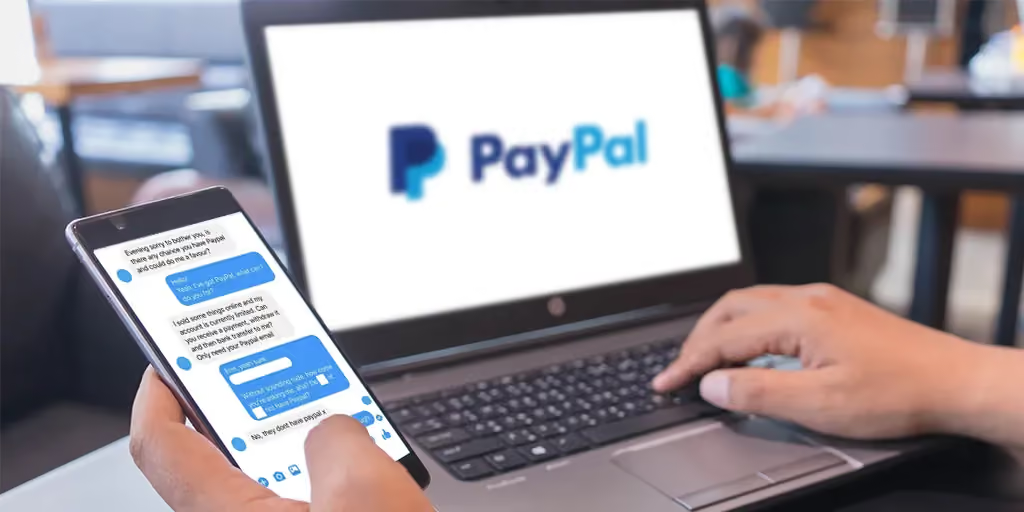
4) It is a friendly "wrong number" opener
If you respond, keep it short and do not move to another app. If the conversation becomes pushy or personal fast, stop replying and block.
How to verify who is texting you (without clicking)
Use the official app: bank, carrier, delivery, marketplace.
Use the official website: type it yourself or use a bookmark.
Use a known number: call the company number from their official contact page.
Use an existing channel: ask the person to message you where you already know them.
If you already clicked or replied, what matters now
If you clicked: close the page and do not enter information. Verify through official apps you open yourself.
If you shared a code: treat it as account compromise and secure the account immediately.
If you entered a password: change it and enable two-step verification.
If you replied: stop replying; block/report if it continues.
Reporting and blocking
Block and report spam in your messaging app. Many carriers support forwarding spam texts to 7726 (SPAM). If a message impersonates a brand, report it through the brand's official support page.
Want to identify the sender?
If your goal is to look up who owns the number, use our deeper guide: Who texted me from this phone number?
Sources
FAQs
Is it safe to reply to an unknown number?
It depends. Often, the safest option is to not reply. If you do reply, keep it neutral, do not share personal info, and never click links or share codes.
What should I do if the text includes a link?
Do not click. Open the official site or app directly and check your account or order status there. Links in texts are a common path to lookalike pages.
Why am I getting one-time codes I did not request?
This often means someone is trying to sign in. Do not share the code. Change your password on that service and enable two-step verification. Review recent sign-in activity if available.
How can I verify who is texting me?
Use a trusted path: call a known saved number, verify inside an official app, or ask the person to contact you through an existing channel you already trust.
What if I already clicked and entered information?
Change the password right away and enable two-step verification. Review account activity and monitor for unexpected alerts. If you entered payment details, contact your card provider.
Should I block the number?
Yes, if it looks suspicious or unwanted. Blocking reduces follow-ups from that number, and reporting helps your messaging app and carrier improve filtering.
How do I report spam texts to my carrier?
Many carriers support forwarding spam texts to 7726 (SPAM). You can also block and report the sender inside your messaging app. If the message impersonates a brand, report it through the brand's official support page.
Can replying to an unknown text cause more spam?
It can. A reply can signal that your number is active, which may increase follow-ups. If you reply, keep it neutral and do not share any personal details. If it feels off, stop replying and block.