Tax Season Scams 2026: Common Messages and Safe Steps



Key Takeaways
- Tax scams exploit timing: Refund anticipation and filing deadlines create the perfect urgency for fraud.
- The IRS never initiates contact via text or email: Any message with a link claiming to be from the IRS is suspicious.
- AI-generated messages look perfect: Grammar and formatting are no longer reliable scam indicators.
- The trap is always in the action: Click, call, pay, or share a code - these are the real red flags.
- Verify through paths you control: Type irs.gov yourself; never use links from messages.
If a tax-related message asks you to click a link, share personal details, or pay a fee, the message itself is likely the threat. Verify through official channels you navigate to yourself.
{{component-cta-custom}}
Why Tax Season Is Prime Time for Scammers
Tax season creates the perfect storm for fraud: millions of people expecting money, worried about deadlines, and uncertain about what legitimate IRS communication looks like.
The economics are straightforward. A stolen Social Security number combined with basic personal information can generate thousands of dollars in fraudulent refunds. The IRS processed over 150 million returns in 2024, and identity thieves know that even a small success rate means millions in stolen refunds.
But the real reason tax scams work is psychological. They exploit two powerful forces: hope (you want your refund) and fear (you don't want trouble with the IRS). Scammers have learned exactly how to trigger both.
Real Tax Scam Messages (And Why People Fall for Them)
These are actual scripts scammers use. Understanding why they work helps you recognize them instantly.
Example 1: The Pending Refund
What the message says:
"Your refund of $4,847.00 is pending. Verify your identity to release funds: [link]"
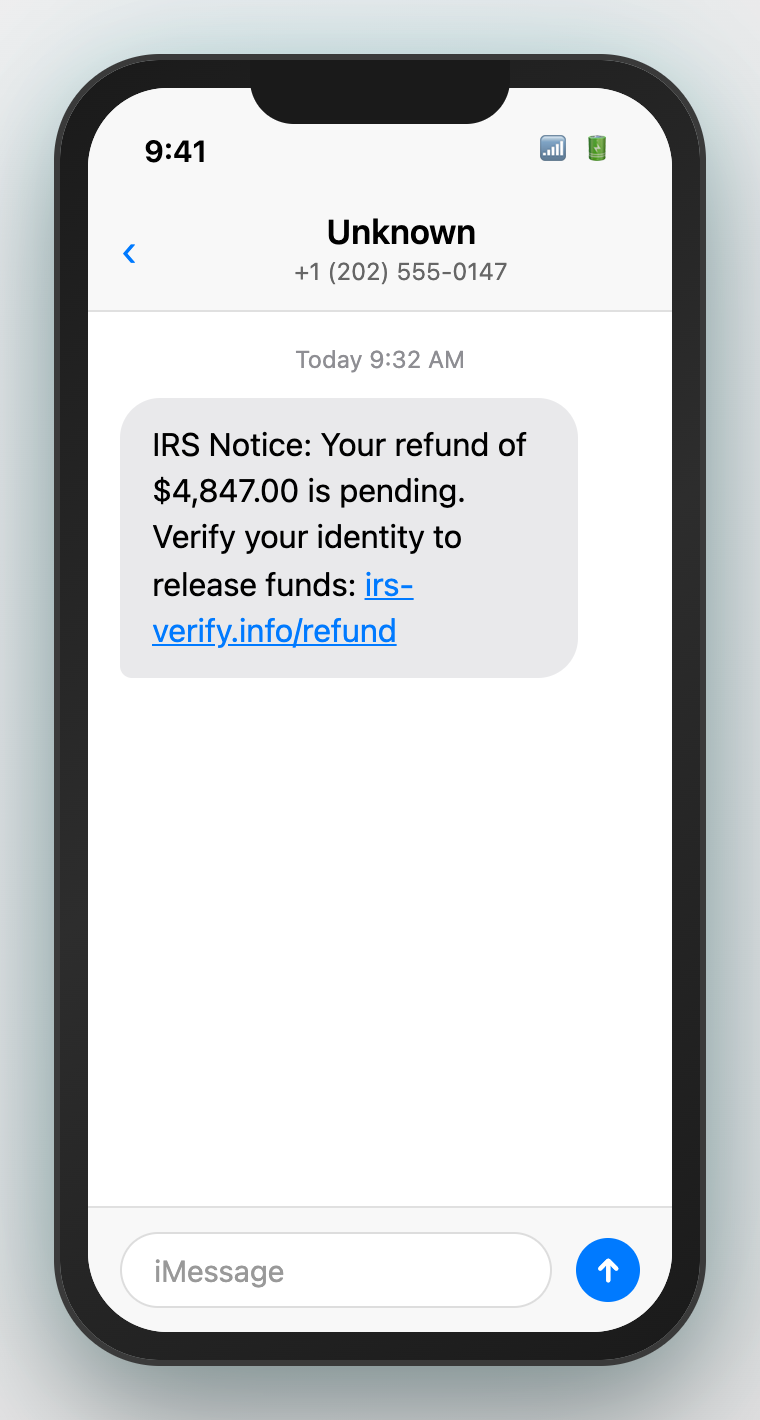
Why people fall for it:
- The specific dollar amount ($4,847.00) feels real - round numbers seem fake
- "Pending" creates hope without being threatening - your money is waiting
- "Verify your identity" sounds like a reasonable security step
- The link looks official and the page will look exactly like IRS.gov
Safe response: Check refund status at irs.gov/refunds - a page you type yourself. Never use links from messages.
Example 2: The Urgent Deadline
What the message says:
"IRS Notice: Unusual activity on your tax account. Verify within 24 hours to avoid penalties: [link]"
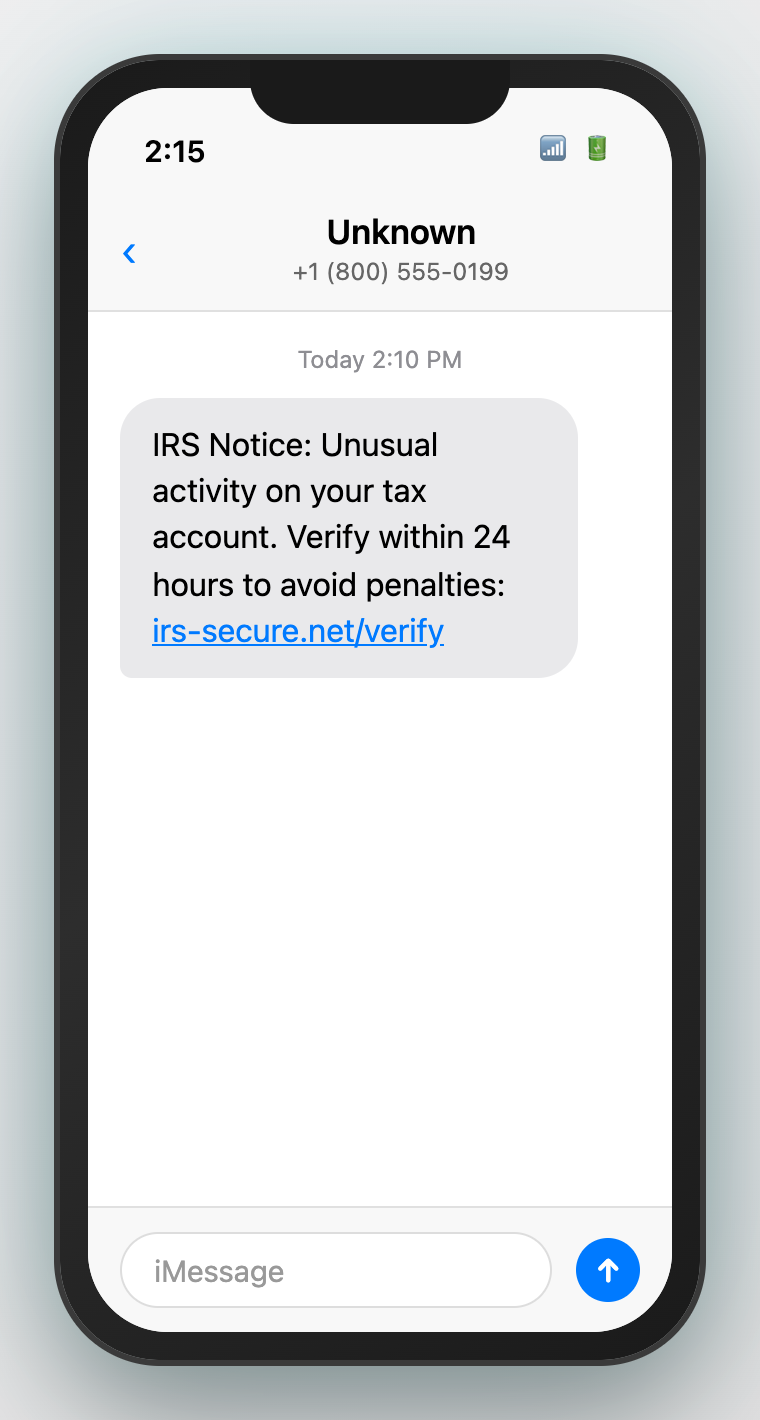
Why people fall for it:
- "Unusual activity" triggers fear - what did someone do with my account?
- "24 hours" creates panic - there is no time to think or verify
- "Penalties" amplifies fear - the IRS can garnish wages and seize assets
- The official-sounding language bypasses skepticism
Safe response: Real IRS notices come by mail and give you weeks to respond. Log into IRS.gov directly to check for actual notices.
Example 3: The Free Money
What the message says:
"You may qualify for an additional $1,200 stimulus credit. Claim before April 15: [link]"
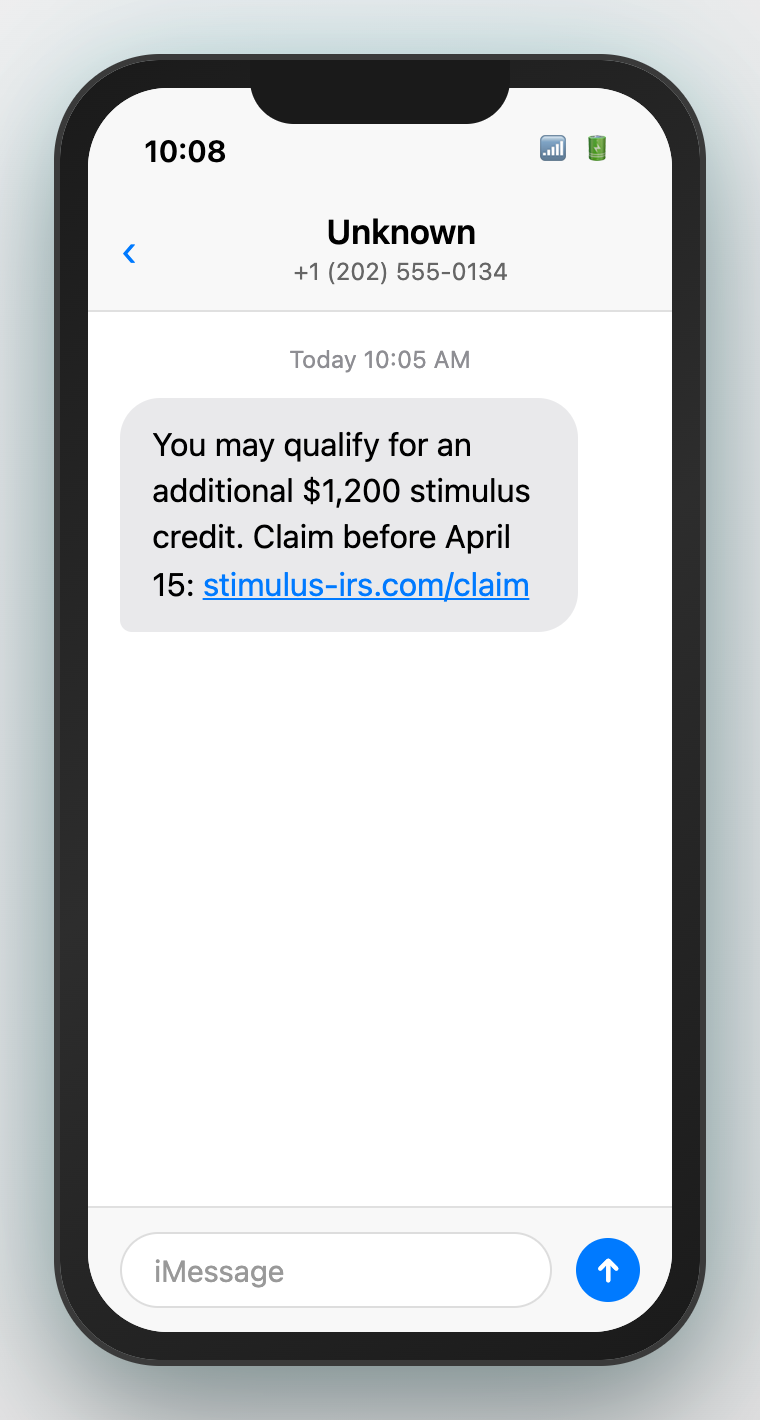
Why people fall for it:
- Free money is hard to ignore - especially from a trusted source
- The deadline creates urgency - you might miss out
- Stimulus payments were real, so this feels plausible
- The amount is specific but believable
Safe response: Legitimate tax credits are claimed when you file your return, not through external links. If you qualify for something, your tax software or preparer will find it.
Example 4: The Arrest Threat (Phone Call)
What the caller says:
"This is the IRS. You owe back taxes and a warrant has been issued for your arrest. Pay immediately or officers will be dispatched."
Why people fall for it:
- Authority triggers compliance - we are trained to respect government
- Arrest threat creates immediate panic - rational thinking shuts down
- The caller may have some of your personal information (from breaches)
- They demand immediate action - no time to verify
Safe response: Hang up immediately. The IRS never threatens arrest over the phone, never demands immediate payment, and never calls without first sending written notice.
What Tax Scammers Are Actually After
TargetWhat They Do With ItImpact on YouYour Social Security NumberFile fraudulent tax returns in your nameYour legitimate refund is rejected; months of paperwork to resolveYour IRS.gov credentialsView tax transcripts, change refund destination, file fraudulent returnsComplete account takeover; scammers control your tax identityDirect payment ("processing fee")Keep the money - there is no fee to release refundsImmediate financial loss with no recoursePersonal informationSell on dark web; use for future fraudOngoing identity theft; fraudulent loans, credit cards, accounts
What to Do If You Already Clicked or Shared Information
Step 1: If You Clicked a Link
- Close the page immediately - do not enter any information
- Clear your browser history and cache
- Run a security scan on your device
- If you entered nothing, you are likely safe - but stay vigilant
Step 2: If You Entered Credentials
- Go directly to IRS.gov (type it yourself) and change your password immediately
- Enable two-factor authentication on your IRS account
- Check your account for any changes to address, bank information, or filed returns
- Request your tax transcript to see if any returns were filed
Step 3: If You Shared Your SSN
- File your taxes as early as possible to beat fraudulent filings
- Place a fraud alert with the three credit bureaus (Equifax, Experian, TransUnion)
- Consider a credit freeze - it prevents new accounts from being opened
- File IRS Form 14039 (Identity Theft Affidavit)
- Apply for an IRS Identity Protection PIN at irs.gov/ippin
Step 4: If You Sent Money
- Contact your bank or payment provider immediately - recovery chances decrease by the hour
- Document everything: screenshots, transaction records, message history
- Report to the FTC at reportfraud.ftc.gov
- File a report with your local police (you may need this for identity theft claims)
{{component-tips}}
How Real IRS Communication Actually Works
The IRS WillThe IRS Will NeverSend initial notices by postal mailContact you first via text, email, or social mediaGive you time to respond (typically 30-60 days)Demand immediate payment or threaten arrestProvide clear payment options through official channelsRequest payment via gift cards, crypto, or wire transferAllow you to question or appeal any decisionAsk for credit card numbers over the phoneDirect you to irs.gov for online servicesSend clickable links in text messages
How Guardio Blocks Tax Scams Before They Reach You
Tax scam pages rotate domains daily. By the time a malicious IRS lookalike gets reported and blacklisted, scammers have moved on to a new domain. Traditional security tools that rely on known-bad lists are always one step behind.
Guardio takes a different approach:
- Real-time link analysis: When you click a link from a text or email, Guardio analyzes the destination before the page loads - checking domain age, page structure, and behavioral patterns. A phishing page created 5 minutes ago gets caught just as effectively as one active for weeks.
- Lookalike detection: Scammers register domains like "irs-gov-verify.com" or "refund-irs-release.net" that look legitimate. Guardio recognizes these impersonation patterns even if the specific domain has never been seen before.
- Browser-level blocking: Protection happens at the browser level, before pages fully load. Malicious redirects, hidden iframes, and multi-step phishing chains get blocked before you see them.
- Cross-device protection: Tax scams arrive on your phone, tablet, and computer. Guardio works across all your devices, so protection follows you regardless of where you check that suspicious message.
{{component-cta-custom}}
Report Tax Scams to Help Stop Them
Reporting helps authorities track campaigns and warn others. Your report might prevent the next victim.
- IRS: Report phishing emails and websites
- TIGTA: Report IRS impersonation scams
- FTC: ReportFraud.ftc.gov
- FBI Internet Crime Complaint Center (IC3)
Related Guides
- IRS Refund Text Scam: How to Verify Safely
- Verification Code Text You Did Not Request
- Unknown Number Link? How to Verify Without Clicking
- How to Spot a Fake Text Message
Sources
FAQs
Does the IRS text taxpayers?
Be cautious. If a message is asking you to click a link or share personal information, treat it as suspicious and verify through official IRS channels.
How do I verify my tax status safely?
Open official government sites directly by typing the URL yourself, or use official apps. Avoid verifying through message links.
What if I already clicked a tax link?
Change passwords for any account you entered, enable two-step verification, and monitor accounts for follow-up activity.
What are common tax scam red flags?
Urgency, threats, unexpected refunds, and requests for payment or codes are common red flags.
Where can I report tax scams?
Use official reporting options like IRS guidance and ReportFraud.ftc.gov.
How can Guardio help?
Guardio can warn you about suspicious links and lookalike sites before you enter personal information.