How Browser Security Extensions Actually Work and Protect You Online



Key Takeaways
- Real-time layered analysis: Browser security extensions operate through a multi-stage process that includes URL interception, domain reputation checks, script inspection, behavioral monitoring, and cloud-based threat intelligence, all before a page fully loads.
- Multi-signal monitoring: These extensions track redirect chains, form submission destinations, download sources, and browser permission requests simultaneously to catch threats that static URL checks alone would miss.
- AI-lowered barriers for attackers: AI-powered tools have dramatically reduced the effort needed to create convincing phishing pages and fake storefronts, with Guardio Labs research showing that even novice attackers can generate functional scam campaigns in minutes using generative AI platforms.
- Browser-extension-only protection has limits: Extensions generally cannot see threats that stay inside SMS apps, messaging apps, native email clients, or mobile app webviews unless those links open in a protected browser or are covered by a companion mobile/security layer.
- Guardio's cross-channel approach: Guardio helps close browser-only gaps by combining browser-based real-time protection with mobile protection, email/account monitoring, text-message filtering where supported, identity monitoring, and data exposure alerts across devices.
You install a browser security extension, see a small icon appear in your toolbar, and assume it is protecting you. But what does it actually do when you click a link, land on a page, or start typing your credit card number into a checkout form?
Most users treat browser security extensions like a lock on a door. You install it and forget about it. These extensions operate in real time, evaluating URLs, inspecting scripts, analyzing page behavior, and comparing signals against threat intelligence databases before you even notice the page has loaded. Some go further by monitoring redirects, flagging risky downloads, and identifying fake login forms designed to steal credentials.
This guide explains how browser security extensions actually work at each stage of a browsing session, what they can and cannot catch, and why modern online threats increasingly require protection that extends beyond what a browser extension alone can offer.
{{component-cta-custom}}
What Are Browser Security Extensions?
Browser security extensions are lightweight software modules that integrate directly into web browsers like Chrome, Firefox, Edge, and Safari to provide an additional layer of protection during online activity. They operate within the browser environment and use a combination of permission-based access, local analysis, and cloud-connected threat intelligence to evaluate the safety of websites, links, downloads, and page behaviors in real time.
Unlike standalone antivirus software that scans files at the device level, browser security extensions focus specifically on what happens inside the browser window. They can read and modify page content, intercept navigation requests, inspect form fields, and communicate with external servers to verify whether a destination is safe. This positioning makes them particularly effective at catching threats that are delivered through the web, such as phishing pages, scam storefronts, malicious redirects, and credential-harvesting forms.
Some browser security extensions are narrow in scope, focusing only on ad blocking or tracker prevention. Others, like Guardio, use the browser extension as one layer within a broader online security platform that also supports mobile protection, email/account monitoring, identity monitoring, data leak alerts, and cross-device visibility.
How Browser Security Extensions Actually Work Step by Step
Understanding how browser security extensions actually work requires looking at the sequence of events that occur every time you navigate to a new page. The process happens in milliseconds, but it involves multiple layers of analysis.
1. Evaluate URLs Before and During Page Load
The moment you click a link or type a URL, the extension intercepts the navigation request before the browser fully loads the destination. It extracts the URL and begins running it through a series of checks. Some extensions compare the URL against local blocklists cached on your device, while others send a hashed or anonymized version of the URL to a cloud service for real-time evaluation.
This pre-load check is the first opportunity to block a known threat before any page content reaches your browser.
2. Check Domain Reputation and Risk Signals
Once the URL is extracted, the extension evaluates the domain's reputation. This includes checking the domain's age, registration history, hosting location, and whether it has appeared in known threat feeds. Newly registered domains, especially those mimicking well-known brands through misspellings, extra words, unusual combinations, or unfamiliar domain endings, may receive higher risk scores. Domains with no history and no verifiable owner information are treated with additional caution.
3. Inspect Scripts, Forms, and Redirect Chains
Depending on its permissions and design, the extension may use content scripts to inspect what is being rendered on the page. It looks for hidden iframes, obfuscated JavaScript, auto-submitting forms, and elements that behave differently than what the visible page suggests.
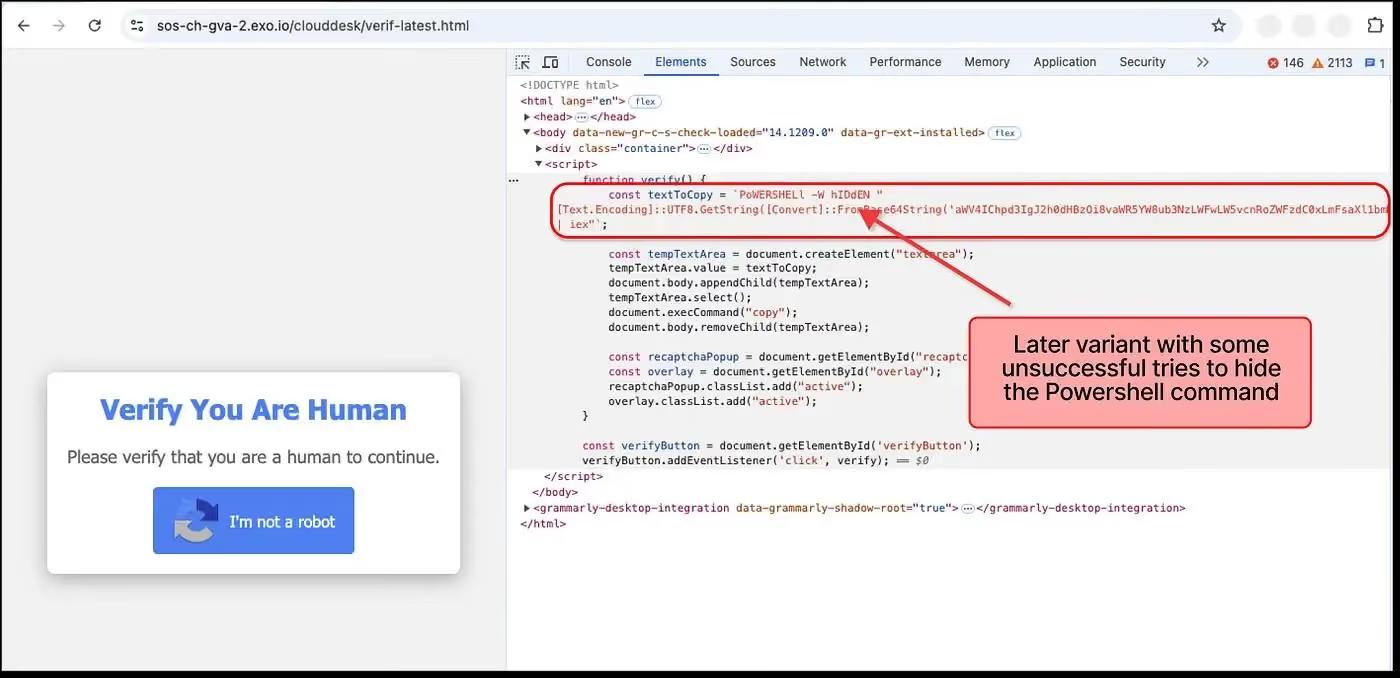
It also traces redirect chains, where clicking one link quietly bounces you through multiple intermediate URLs before landing on the final destination. Scam sites frequently use multi-step redirects to evade simple URL-matching blocklists.
4. Inspect Page Behavior and Runtime Signals
Beyond static code inspection, advanced extensions monitor how the page behaves after it loads. This includes tracking whether the page attempts to lock the browser window, disable normal navigation, trigger rapid pop-ups, or request unusual permissions such as notification access or clipboard-related access. These runtime signals often indicate tech support scams, browser-lock attacks, or pages designed to pressure users into hasty decisions.
5. Block Threats and Trigger User Warnings
If any stage of the evaluation identifies a threat, the extension takes action. Depending on the severity and the extension's configuration, this can range from displaying a warning overlay that lets the user decide whether to proceed, to outright blocking the page and redirecting the user to a safe destination. The best extensions provide clear, non-technical explanations of why a page was blocked, so users understand the risk without needing security expertise.
What Browser Security Extensions Monitor and Block in Real Time
Browser security extensions do not just check URLs in isolation. They continuously monitor several layers of browser activity to catch threats that emerge during a session.
- URLs and Domain Reputation Signals: Every link you click, redirect you pass through, and destination you land on is evaluated against reputation databases and risk models. This includes URLs embedded in search results, social media posts, and email previews rendered inside the browser.
- Page Scripts and Hidden Redirects: Extensions scan for JavaScript that behaves suspiciously, such as scripts that load external resources from unrelated domains, inject hidden elements, or redirect you through a chain of intermediate pages designed to disguise the final destination.
- Login Forms and Data Entry Fields: When a page presents a login form or payment field, the extension can check whether the page is a known phishing target, whether the form submits data to a domain that does not match the visible URL, and whether the page is impersonating a trusted brand.
- Downloads and File Requests: If a page initiates a file download, the extension can intercept the request and evaluate the file source, type, and reputation before the download begins. This is particularly important for catching malware disguised as software updates, PDF invoices, or document attachments.
- Browser Permissions and Notifications: Some scam pages request notification permissions as a way to deliver ongoing spam or phishing messages directly to your desktop. Security extensions can flag or block these permission requests and alert you when a page is attempting to gain access that it should not need.
Core Components Behind Browser Security Extensions
Browser security extensions rely on a set of technical building blocks that allow them to observe, analyze, and act on browser activity. The table below outlines the core components that power these tools:
Types of Threats Browser Security Extensions Help Prevent
The web-based threats that browser security extensions are designed to catch have grown more sophisticated, but they still follow recognizable patterns.
1. Phishing Pages and Fake Login Forms
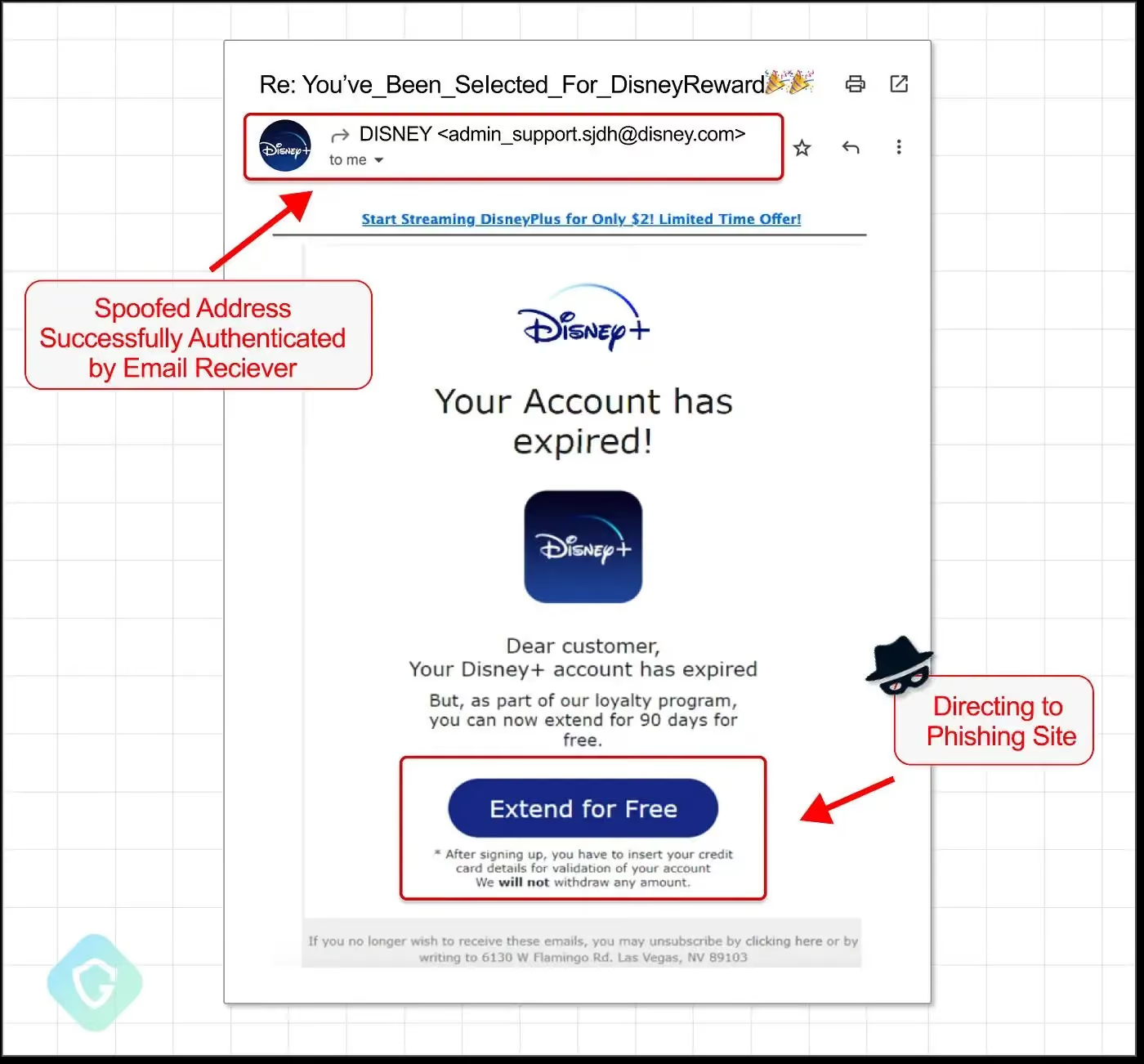
Phishing remains one of the most common threats delivered through the browser. Attackers create pages that replicate the login screens of banks, email providers, social media platforms, and SaaS tools with near-perfect accuracy. Browser security extensions detect these by comparing the page's domain, form structure, and visual elements against known phishing patterns and brand impersonation signals.
2. Malicious Redirect Chains
A single click on what appears to be a normal link can quietly route you through three, four, or more intermediate URLs before landing on a scam destination. Each redirect may appear harmless on its own, but the chain is designed to bypass simple URL-matching blocklists. Extensions that trace the full redirect path can identify and block these chains before the final malicious page loads.
3. Fake Shopping Websites
Scam storefronts have become significantly harder to identify visually. They use AI-generated product descriptions, stolen imagery, and professional checkout flows to mimic legitimate retailers.
Browser security extensions that go beyond URL matching and analyze domain age, page behavior, and checkout form destinations can flag these fake online stores before users enter payment information.
4. Unsafe Downloads and Malware Links
Drive-by downloads, fake software update prompts, and malicious file links are still effective attack vectors. Security extensions intercept download requests and evaluate the source domain, file type, and reputation before allowing the file to reach the device. This is especially important for catching malware bundled with seemingly legitimate software installers.
5. Tech Support and Browser Lock Scams
These attacks use aggressive page behavior to create urgency. A page may display a full-screen warning claiming your device is infected, disable your ability to close the tab, or trigger audio alerts. Browser security extensions detect these behavioral patterns and block the page or provide a safe exit path before the user follows the scam's instructions.
{{component-tips}}
Limitations of Browser Security Extensions in Modern Threat Landscapes
Browser security extensions are a critical layer of protection, but they operate within constraints that leave certain gaps. Understanding these limitations helps you build a more complete security setup.
New Domains and Zero-Day Scam Sites
Scam operators frequently register new domains, run a campaign for a few hours, and abandon the domain before it appears in any blocklist. Extensions that rely primarily on reputation databases may not flag a brand-new domain that has no history at all. This is where AI-based behavioral analysis becomes essential, as it evaluates what a page does rather than relying solely on whether the domain is already known to be dangerous.
Threats Outside the Browser (SMS, Apps, Email Links)
Browser extensions can only protect activity that occurs inside the browser. Malicious links delivered through SMS, messaging apps, or native email clients may open in webviews or external browsers where the extension has no visibility. This is a significant gap, since a growing share of phishing and scam links reach users through text messages and social media direct messages.
Because of this, browser protection works best when paired with broader coverage across devices and entry points. This is where solutions like Guardio are useful: the browser extension handles real-time web threats, while the wider Guardio platform adds mobile protection, text-message filtering where supported, email/account monitoring, identity monitoring, and data leak alerts.
Limitations of Static Blocklists and Reputation Systems
Blocklists are inherently reactive. A URL must first be identified, reported, and verified before it is added to the list. During the window between a scam site going live and being reported, users who encounter that site have no blocklist-based protection. Extensions that combine blocklists with real-time behavioral scoring reduce this gap but cannot eliminate it entirely.
User Behavior and Social Engineering Gaps
No extension can fully protect a user who actively overrides warnings. Social engineering attacks are designed to create urgency, fear, or trust that motivates people to ignore security alerts. If a user dismisses a warning and proceeds to enter credentials on a flagged page, the extension's ability to prevent harm is limited. This is why clear, non-technical warning messages matter, as they need to be persuasive enough to make the user pause.
Browser Security Extension Best Practices
Getting the most out of browser security extensions requires more than just installing one. The following practices help ensure your protection stays effective.
- Install Only Trusted Security Tools: Download extensions only from official browser stores and verified publishers. Malicious extensions disguised as security tools are a real and growing threat, so verify the developer, check reviews, and confirm the extension has a meaningful user base before installing.
- Review Permissions Before Installation: Before adding any extension, review the permissions it requests. An extension that asks for access to all website data, browsing history, and clipboard content should have a clear, justifiable reason for each permission. If the permissions seem excessive relative to the tool's stated purpose, choose an alternative.
- Remove Unused Extensions Regularly: Every installed extension has some level of access to your browser activity. Extensions you no longer use still run in the background, consume resources, and represent a potential security risk if they are sold, compromised, or abandoned by their developer. Audit and remove extensions you have not used in the past month.
- Avoid Overlapping Security Tools: Running multiple security extensions simultaneously can cause conflicts, slow down browsing, and create confusing duplicate warnings. Choose one comprehensive security solution rather than stacking several tools that cover similar ground.
- Keep Extensions Updated: Extension updates often include patches for security vulnerabilities and new threat detection rules. Enable automatic updates in your browser settings and check periodically that your security extension is running the latest version.
How to Choose a Browser Security Solution That Actually Works
Not all browser security tools offer the same depth of protection. The table below outlines the key criteria to evaluate when selecting a solution.
How Guardio Delivers Real-Time Protection Across Online Threats
Browser security extensions provide an important layer of defense, but the threats users face today extend well beyond what happens inside a single browser tab. Guardio uses its browser extension as one component of a broader, always-on protection system designed to cover the full range of modern online risks.
- Evaluates Risky Links Across Search, Messages, and Ads: Guardio does not wait for you to land on a dangerous page. It helps evaluate links as they appear across search results, email, SMS, social media ads, and messaging platforms, including shortened URLs and multi-step redirect chains that are designed to bypass simple blocklists.
- Detects Phishing, Scam Flows, and Impersonation Attempts Early: Guardio helps identify pages that mimic trusted brands by analyzing domain registration patterns, visual page elements, and behavioral signals. This allows it to flag credential-harvesting pages and fake login forms before users enter sensitive information.
- Prevents Malicious Downloads and Unsafe Destinations: When a page attempts to initiate a risky download or redirect you toward a known malware distribution point, Guardio helps intervene before the file reaches your device or the destination loads.
- Identifies Risky Extensions and Account Security Gaps: Beyond monitoring web pages, Guardio helps detect browser extensions that request excessive permissions or exhibit suspicious behavior. It also flags weak or reused passwords and highlights account security gaps that could be exploited.
- Provides Data Exposure Alerts and Identity Risk Monitoring: If your email address, phone number, or credentials appear in a known data breach, Guardio sends alerts so you can take corrective action before attackers use the exposed information. This identity monitoring layer adds protection that goes beyond what any browser extension alone can provide.
Guardio is built for users who want security that works across devices and channels without requiring manual scans, URL pasting, or technical expertise. It represents the kind of well-rounded online security solution that closes the gaps traditional browser extensions leave open.
Conclusion
Browser security extensions are more than toolbar icons. They operate through a layered process of URL interception, domain analysis, script inspection, behavioral monitoring, and cloud-connected threat intelligence that runs every time you navigate to a new page. Understanding how browser security extensions actually work helps you recognize both their value and their boundaries.
For everyday browsing protection, a well-chosen browser extension can block phishing pages, catch malicious redirects, and flag risky downloads before they cause damage. However, the modern threat landscape extends beyond the browser because scam links now arrive through text messages, social media, and email. Fake stores rotate domains faster than blocklists can update. Identity theft begins with data leaks that no browser extension can prevent on its own.
For users who want protection that covers all of these entry points, Guardio provides online security that combines real-time browser protection with cross-channel link evaluation, identity monitoring, and data exposure alerts. It is built for the way people actually use the internet now, across devices, platforms, and channels - not just inside a single browser window.
FAQs
How can I tell if a website is dangerous before I click anything?
A quick scan of the link and its behavior can often reveal risks before you even land on the page.
- Hover over links to preview the full URL and spot misspellings or odd domains
- Watch for urgency like “act now” or countdown timers - classic scam pressure tactics
- Avoid shortened links unless you trust the sender completely
- Use a security extension that flags risky links in search results and messages
For deeper tips, check out how to identify fake websites.
Why do I still see pop-ups or scams even with protection installed?
Not all threats originate inside your browser, so some can slip through if they come from other channels.
- Check notification permissions and remove suspicious sites sending alerts
- Review installed extensions - some may be causing unwanted pop-ups
- Avoid clicking “Allow” on random sites asking for notifications
- Extend protection to mobile and email, where many scams now start
Learn how to clean this up with Guardio’s approach to browser protection.
How do scammers create such realistic fake websites now?
Modern scams use automation and AI tools to copy real sites almost perfectly.
- They clone layouts and branding from legitimate companies in minutes
- Use new domains that haven’t been flagged yet
- Automate fake checkout or login flows to steal data quickly
- Launch short-lived campaigns before detection systems catch up
Stay ahead by understanding how phishing works.
How does Guardio protect me beyond just blocking websites?
Guardio works across multiple layers to catch threats before and after you click.
- Scans links in real time across search, emails, and social media
- Monitors account and identity exposure from data breaches
- Blocks malicious downloads and extensions automatically
- Extends protection to mobile and messaging apps
Explore the full system in Guardio’s security features overview.
Can I safely use Guardio on my phone as well as my computer?
Yes, Guardio is designed to protect you across devices, not just your desktop browser.
- Install the mobile app to block malicious sites on your phone
- Enable text filtering to stop scam SMS messages
- Connect your email for phishing alerts directly in your inbox
- Use one account to protect multiple devices and family members
See how cross-device safety works with mobile browsing protection.