How to Spot a Fake Online Store Before You Pay


Key Takeaways
You're browsing, you spot a deal that seems almost too good, and you click through. The site looks clean. There's a product photo, a price, a checkout button. It could be completely legit.
Or it could be fake.
Scammers have gotten very good at building online stores that look real. According to the Better Business Bureau, online purchase scams made up 30.3% of all scams reported to BBB Scam Tracker in 2024, and 87.5% of those people reported losing money. That's not a small risk. It's the norm for anyone who doesn't know what to look for.
The problem is that fake stores have evolved. They no longer look like obvious knockoffs with broken layouts and misspelled product names. Today's fraudulent sites are often polished, fast-loading, and stocked with convincing product photography pulled directly from legitimate retailers. They show up in your social media feed as sponsored ads, complete with glowing comments that may themselves be fabricated.
The good news: fake stores almost always leave clues. The scammers can copy the look of a real store, but they can't easily replicate the infrastructure of a legitimate business, the verifiable contact details, the coherent policies, the traceable domain history. You just need to know where to look, and the best time to look is before you hit "Pay now."
What makes a fake online store hard to spot?
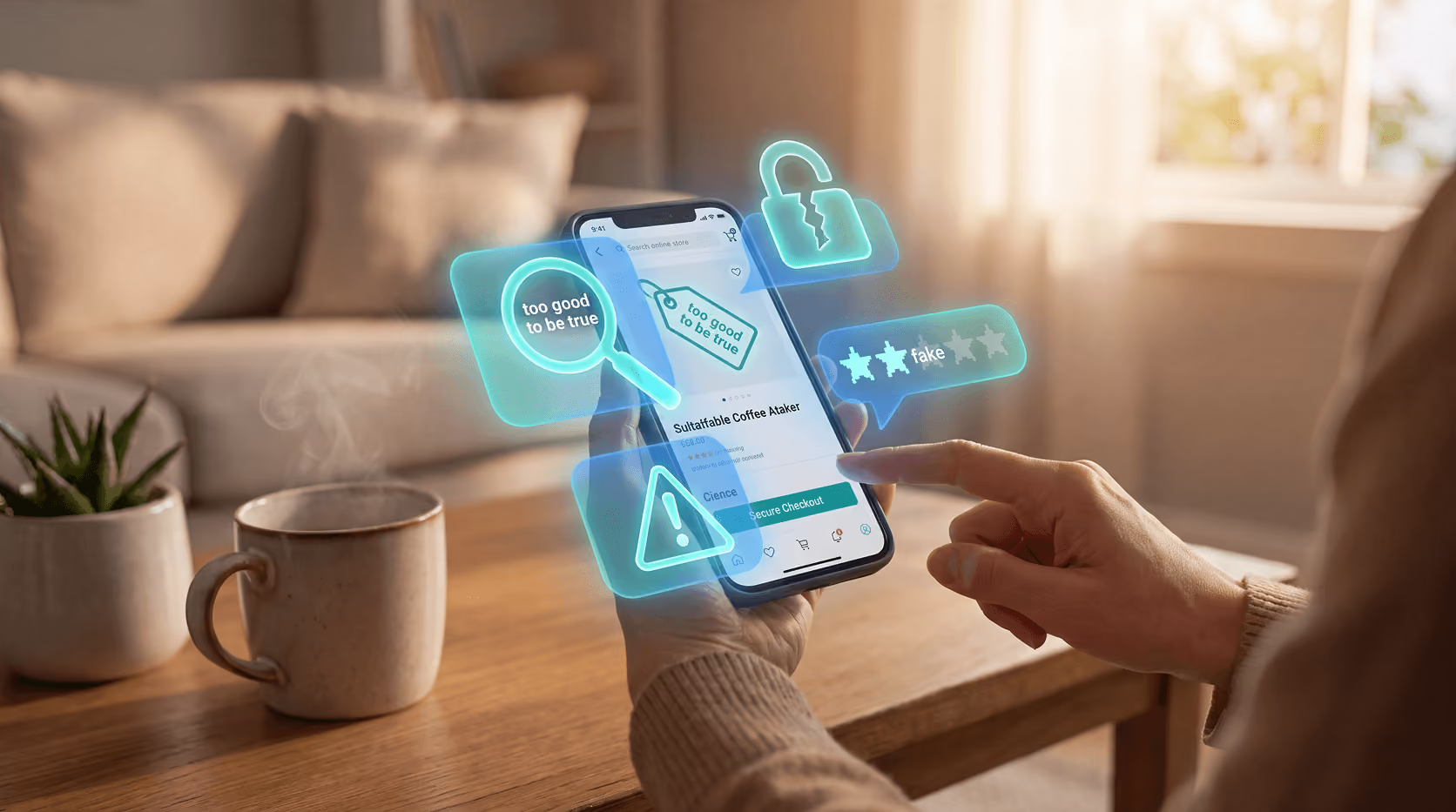
Scammers don't build sloppy sites anymore. They copy logos, product images, and even customer review sections from real retailers. Some clone the entire layout of a well-known brand and just swap out the domain name. Others build entirely original storefronts that mimic the general aesthetic of a trustworthy e-commerce site, clean fonts, professional banners, a padlock icon in the address bar.
What gives them away isn't always design. It's the details that a rushed buyer tends to skip: the URL, the payment options, the return policy, the contact page. These are the places where a fake store can't quite keep up the act, because maintaining a convincing fiction across every corner of a website takes more effort than most scammers are willing to invest.
The scam usually works one of four ways: an entirely fake store promoted through social media ads, a cloned version of a real retailer on a look-alike domain, a marketplace seller who takes payment and vanishes, or a fake checkout page that captures your card details and does nothing else with your order. As SafeToOpen notes, many of these scams are seeded through ads and social posts rather than email, which means they bypass spam filters entirely. That's a meaningful shift, it puts fake stores directly in front of shoppers who are already in a browsing and buying mindset, with their guard lower than it might be in an inbox.
The URL is the first thing to check
Before you look at anything else on a site, look at the address bar. This is where most fake stores slip up, and it's the single fastest check you can run.
Scammers register domains that look almost identical to real brands. A missing period, an extra letter, a different ending like .shop or .bargain instead of .com. These are easy to miss when you're moving fast. Experian points to examples like wwwbrandname.com (no dot after www) or brandnaame.com (an extra "a") as common tricks. A scammer might also insert a word like brandname-official.com or brandname-store.net to make the domain look more authoritative while still being entirely fraudulent.
Also check for HTTPS at the start of the URL. A site without it isn't encrypting your connection, which is a problem if you're about to enter card details. That said, HTTPS alone doesn't confirm a site is safe. Plenty of fake stores have SSL certificates now, they're cheap and easy to obtain. It's a minimum bar, not a green light. Think of it as a necessary condition, not a sufficient one.
If you're unsure about a domain, you can search "domain age checker" to find free tools that show when a site was registered. A site that went live a few weeks ago, selling luxury goods at 60% off, is almost certainly not a real retailer. Established businesses have established domains, often registered years before you encounter them.
Dig into the site before you click "Buy"
The URL check takes 10 seconds. What comes next takes maybe two minutes, but it can save you a lot of money and stress.
Look for a real About page. Legitimate stores tell you who they are, where they're based, and how to reach them. A generic paragraph with no company name, no address, and a free Gmail contact address is a red flag. A real business has a business email, something like support@brandname.com, not brandnamesupport@gmail.com.
Find the return policy. Real retailers have one, and it's specific: timeframes, conditions, who pays return shipping, how refunds are issued. If you can't locate a return policy at all, or if it reads like it was machine-translated from another language, pause. Fake stores often copy policies wholesale from other sites, so you might also search a distinctive sentence from the policy in quotes to see where it originally came from. If it surfaces on a dozen other unrelated stores, that's a strong warning sign.
Check the contact information. Call the phone number if there is one. Search the business address on a map. Some fake sites list a real-looking address that, when you look it up, turns out to be a parking lot, a residential building, or a completely unrelated business. A legitimate retailer's address should correspond to something that makes sense, a warehouse, an office, a registered business location.
Read the reviews carefully. On-site reviews that all sound identical, have no dates, or were all posted in the same week are often fabricated. Look for specificity in reviews, real customers mention particular products, shipping times, or customer service interactions. Vague five-star praise with no detail is a common hallmark of fake review sections. Search the store name plus "review" or "scam" in a separate tab. Real customer experiences, both good and bad, tend to surface quickly on forums and consumer complaint sites.
Payment methods tell you a lot
Here's where fake stores often drop the mask entirely.
Legitimate online retailers accept credit cards. That's the standard. A site that only accepts gift cards, wire transfers, bank transfers, cryptocurrency, or peer-to-peer apps like Zelle or Cash App is asking you to pay in ways that offer no buyer protection and are nearly impossible to reverse. These payment methods are favored by scammers precisely because once the money moves, it's gone.
Experian is clear on this: "It's often difficult, and may be impossible, to get your money back if you send a payment with one of these options." Credit cards are the safest way to pay online because they come with fraud protection and the ability to dispute a charge through your card issuer. Debit cards are riskier since they connect directly to your bank account, a fraudulent charge hits your actual balance immediately, and recovery depends on your bank's policies rather than a card network's protections.
If a site offers PayPal but steers you toward the "send to a friend" option to avoid fees, don't do it. That option removes your purchase protection entirely, which is exactly why the seller is suggesting it. Any seller who actively discourages you from using a payment method's built-in protections is telling you something important about how they expect the transaction to go.
Watch for pressure at checkout
Artificial urgency is a classic scam tool. It's also completely legal as a marketing tactic, which is why it's so common and so effective at bypassing the part of your brain that wants to slow down and verify.
Countdown timers. "Only 3 left in stock." Pop-ups telling you someone else just bought the same item. Flash sale banners that reset every time you reload the page. These are built to make you act before you think, to convert hesitation into a completed purchase before you've had a chance to ask basic questions about the store. A real deal doesn't disappear in 90 seconds, and a real retailer doesn't need to manufacture panic to sell products.
Pay attention to how a site makes you feel as you browse. If you notice yourself rushing, feeling anxious about missing out, or skipping steps you'd normally take, that's worth recognizing. The emotional response is the mechanism the scam relies on. If a site is pushing you to check out fast, slow down instead. Give yourself 60 seconds to run through the checks above. If the deal is real, it'll still be there. If it isn't, those 60 seconds just saved you real money.
What to do if you've already paid
Sometimes you only realize something's wrong after the payment goes through. Maybe the confirmation email never arrived, the tracking number leads nowhere, or the tracking information turned out to be fabricated, showing movement on a package that doesn't exist. Here's what to do.
Contact your bank or card issuer immediately. The sooner you report it, the better your chances of a successful chargeback. Credit card companies are generally much more responsive to fraud disputes than debit card issuers, and most have dedicated fraud lines available around the clock. When you call, be specific: explain that you believe the merchant was fraudulent, not just that you didn't receive the item.
Report it. File a report with the FTC at ReportFraud.ftc.gov and with the BBB Scam Tracker. These reports help warn other shoppers and give agencies the data they need to identify patterns and take action against repeat offenders. Individual reports matter more than most people realize.
Change your password if you created an account on the fake site. If you used the same password anywhere else (especially for email, banking, or other shopping accounts) change it there too. Fake stores sometimes collect login credentials as their primary goal, with the purchase being secondary. Your email address and password combination is valuable on its own.
Monitor your accounts. Watch for unexpected charges over the following days and weeks. Scammers often wait before using stolen card details to reduce the chance you'll connect the fraud to a specific transaction. Setting up transaction alerts through your bank app can help you catch unauthorized charges as soon as they appear.
Running a protection tool on your browser and your phone that checks sites in real time before you interact with them can catch fake stores before you get this far. Guardio detects and blocks known scam sites as you browse, on your computer or your phone, so you get a warning before you enter anything.
Conclusion
Fake online stores work because they look real and they catch people at a moment of distraction, usually when a deal feels urgent and the instinct is to act fast rather than pause and verify. The best defense isn't blanket skepticism about every site you visit. It's knowing the specific things to check: the URL, the contact page, the return policy, the payment options, and the pressure tactics being used to rush you through checkout.
Most fake stores fail at least one of these tests. The ones that are more sophisticated tend to fail several in subtle ways, a policy that reads awkwardly, a phone number that rings out, a domain registered three weeks ago. None of these red flags is definitive on its own, but they add up quickly.
Taking two minutes before you pay is a habit worth building. It costs you almost nothing when a site turns out to be legitimate, and it can save you from being part of that 87.5% when it isn't.
Get a free security scan with Guardio today and stay protected from fake stores and scam sites.
FAQs